Everyday Use
ReadySame apps as on Windows
Every major browser runs, including Chrome and Edge. Spotify has a desktop app, and Apple Music works through Cider.
No. Yes! It just might be.
A practical guide for Windows and macOS users: whether Linux fits the way you work, why people switch, and exactly how to do it.
No ads, no affiliate links, no sponsors.
~ $ fastfetch
visitor@linux-desktop
~ $
What works, what almost works, and what still doesn't, rated by the kind of work people actually do.
How ready Linux is for each type of work, from "Ready" down to "Not possible", and which apps you'd use.
Ready9
Works as well as on Windows
Nearly ready6
A few gaps, with good workarounds
Usable with caveats2
Works, but expect some limits
Nothing is rated Limited, Don't bother, or Not possible.
Same apps as on Windows
Every major browser runs, including Chrome and Edge. Spotify has a desktop app, and Apple Music works through Cider.
Same apps as on Windows
Discord, Slack, Zoom, Signal, and Telegram have Linux apps, and Teams and Google Meet run in the browser.
Great Linux apps
Google Docs and Microsoft 365 run in the browser, and OnlyOffice and LibreOffice run natively.
Same apps as on Windows
The same editors and tools you already use, like VS Code, JetBrains IDEs, and Neovim, with every language running natively.
Great Linux apps
Krita, the painting app many artists already use on Windows and macOS, runs natively.
Great Linux apps
Blender, Houdini, Maya, and Foundry's tools all run natively.
Same apps as on Windows
Unreal, Unity, and Godot all run on Linux.
Same apps as on Windows
OBS Studio, which nearly every Twitch and YouTube streamer uses, runs natively, and GPU Screen Recorder is great for capturing games.
Same apps as on Windows
RustDesk and AnyDesk handle remote support, and Remmina connects to Windows Remote Desktop (RDP).
Great Linux apps
Most Steam games run through Proton. Games whose anti-cheat blocks Linux won't, so check yours first.
Same apps as on Windows
Terminal agents like Claude Code and Codex, and AI editors like Cursor and Windsurf, run natively. The ChatGPT and Claude desktop apps are still in preview and beta on Linux (Claude's only on Ubuntu and Debian).
Alternatives may fall short
Adobe apps don't run on Linux. Photopea and Figma work in the browser, and GIMP and Inkscape are capable, if not quite Affinity-level.
Alternatives may fall short
Lightroom doesn't run on Linux. darktable and RawTherapee are the RAW editors to use instead.
Great Linux apps
DaVinci Resolve and Lightworks run natively, and Kdenlive is a great free option. The free Resolve can't open the H.264/H.265 video and AAC audio most phones and OBS record, so convert that footage first or use Kdenlive.
Great Linux apps
Bitwig, REAPER, Mixbus, and Ardour for production, Audacity for quick edits, and Mixxx for DJing. Ableton, FL Studio, and Pro Tools don't run on Linux, and most commercial VST plugins are Windows-only (yabridge runs many of them).
Alternatives may fall short
Web apps like Wave, FreshBooks, and QuickBooks Online work, and Frappe Books runs natively. Windows-only desktop accounting software, like QuickBooks Desktop, doesn't.
Alternatives may fall short
FreeCAD, Onshape, BricsCAD, and KiCad work, but AutoCAD, SolidWorks, Fusion, and Revit don't.
Features and technologies people ask about, grouped by status. Source chips link to where an entry was last checked.
10 of 19 tracked features fully work on Linux today
HDR Display Support
Fully works
Vulkan Raytracing in Games
Fully works
Vulkan Raytracing in Games
Fully works
Vulkan Raytracing in Games
Fully works
AMD Game Upscaling
Fully works
NVIDIA Game Upscaling & Frame Generation
Fully works
Stream and Capture on Wayland
Fully works
Use global hotkeys for apps
Fully works
NVIDIA GPUs on Wayland Sessions
Fully works
LUKS Disk Encryption
Fully works
VRR, Freesync, GSYNC Display Support
Works, needs more development
Solid on KDE Plasma and most Wayland compositors; GNOME 50 moved it into normal Display settings (still off by default); X11 sessions are spotty.
Fractional Display Scaling on Wayland
Works, needs more development
Works on Wayland in KDE Plasma and GNOME; X11 sessions rely on hacky workarounds.
UEFI Secure Boot with Linux
Works, needs more development
Works out of the box on Ubuntu, Fedora and friends via shim; on Arch-likes you enroll your own keys with sbctl.
Fingerprint Reader Login (fprintd)
Works, needs more development
Works well on supported readers (most ThinkPad/Dell/Framework sensors); check the supported-device list before buying.
HDR in Games (Gamescope/Proton)
Works, needs more development
Works through Gamescope on HDR-capable Wayland desktops like KDE Plasma; per-game setup can still be fiddly.
Color Management Protocol on Wayland
Works, needs more development
Big progress: the color-management-v1 protocol is merged and KDE Plasma, GNOME and Mesa have landed support — app adoption is the remaining gap.
Run Android Apps via Waydroid
Works, needs more development
Works on Wayland desktops with a manual setup step; Google Play certification needs extra hoop-jumping.
4K above 60Hz over HDMI on AMD GPUs
Under active development
The HDMI Forum blocked an open source HDMI 2.1 driver for years. AMD's support landed in Linux 7.2 but is off by default until Linux 7.4 (around the end of 2026), with VRR over HDMI still being finished. Until then, use DisplayPort for 4K 120Hz on AMD. NVIDIA's driver already supports HDMI 2.1.
4K and HDR on Netflix and other DRM streaming sites
Doesn't work
Linux browsers only get software DRM (Widevine L3), so Netflix tops out at 1080p and no major service streams 4K or HDR to Linux. On Windows, 4K Netflix needs Edge or the Netflix app.
Honestly, if Windows 11 hasn't convinced you yet, you might not be ready to switch, and a lot of these reasons are things you may not care about. But if you're curious and open to it:
| Topic | Windows 11 | Linux |
|---|---|---|
| Your account | Pushes you to sign in with a Microsoft account | No online account needed to use your own computer |
| What ships with it | Sponsored apps and games, Bing in the Start menu, Edge nagging to be the default | No bloatware and no ads, just the desktop you picked |
| AI | Copilot built in, and Recall can record your screen | Nothing watching what you do |
| Updates | Installed for you, with forced restarts; pausing them means picking a new date every 35 days | You decide when to update and when to restart |
| Hardware | Needs TPM 2.0 and a 2017–2018 or newer CPU, which locks out many working PCs | Runs on nearly any 64-bit PC, and old ones feel new again |
| Your desktop | One design, changed whenever Microsoft decides | Pick from several desktops and customize every part |
| Price | Paid license | Free, as in free beer and as in freedom |
Full, unadulterated privacy. No online account sign-in to use your computer. No preinstalled sponsored bloatware apps or games.
No Copilot. No Bing search in the Start menu. No Edge asking to be the default browser. No Copilot AI screen recording your activity. No "Let's set up your computer" after every major update. Windows 10 and newer come with all of this and pester you with online services, to the point that community tools exist just to remove them.
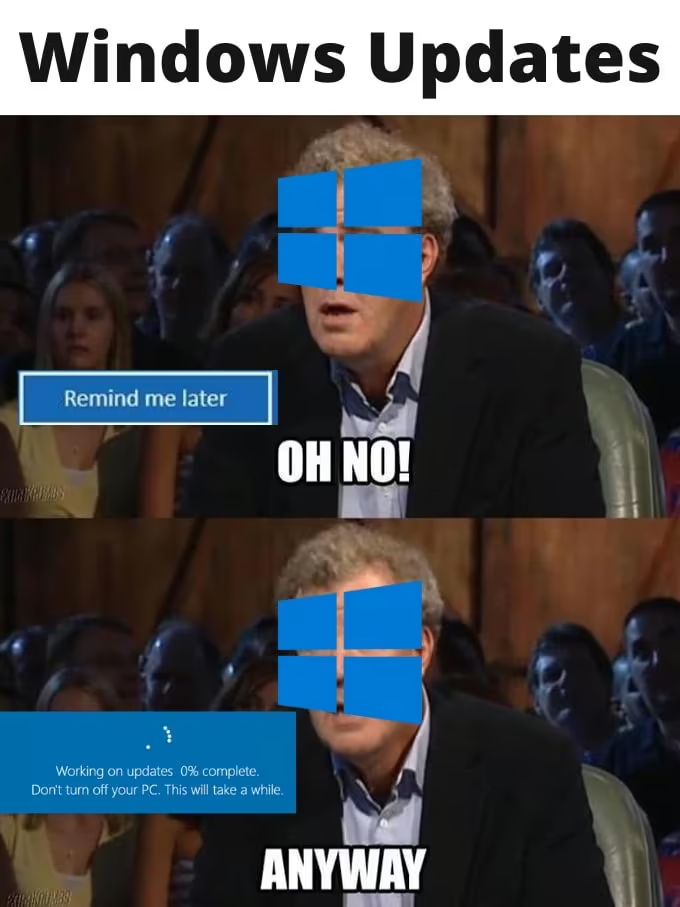
You decide when your system and apps update. Updates aren't installed automatically unless you turn that on, and you're never forced to restart when they are.
Windows updates can only be paused for up to 35 days at a time. Since the July 2026 update you can keep extending the pause, but you have to come back and do it every time, and updates still install on their own by default.
With the administrator role on your Linux install, you can do anything you please.
Install, remove, modify, or swap out anything. You are the master of your domain (PC). This doesn't fully apply to immutable or atomic distros, which are designed to stay unchanged and reliable.
Windows 11 blocks PCs without a TPM 2.0 chip or a supported CPU: roughly Intel 8th gen or AMD Ryzen 2000 and newer, from 2017–2018.
There's no such limitation on Linux. The Linux kernel supported the original Intel 386 processor, from 1985, until 2013. Most distros require a 64-bit system, which is basically any PC made since 2003.
There are multiple options for how your desktop looks and works, and each lets you customize it however you want.
You're not tied to whatever Microsoft thinks your desktop should look like in each major update.
From the very start, you choose between entire desktop environments. Some, like KDE Plasma, go even further with a ton of options, tweaks, and community add-ons for customizing your desktop visually and mechanically.
Want animations faster, or gone entirely? You can.
Linux is lean and mean. Boot times are fast and it runs fast. There isn't a ton of stuff running by default, and the community works to optimize it where possible.
How is it impossible that Chrome on Linux is so much faster than Chrome on Windows with the @FrameworkPuter? Fastest score I could get under Windows was ~340. This is nuts speed. M2 fast. From a Ryzen AMD 7040!
Linux overhead can be so low that games made for Windows often run faster on Linux, even through a translation layer like Proton and Wine.
Linux performs better than Windows and needs less to run. Those old PCs and laptops that don't officially support Windows 11?
Install Linux and they'll feel new again. You save money, prevent e-waste, and get a PC or laptop to do something cool with.
On Windows, you install your GPU vendor's drivers, then update them every month or every big game release to run new games or fix issues.
On Linux, your GPU drivers are set up at install and updated with the rest of the system. Windows games need driver updates largely because of how DirectX works; on Linux everything runs through Vulkan, which doesn't need that treatment. Game and engine developers make the Vulkan path great, and Proton updates take care of the rest.
Partly this is market share making Linux a non-target, and nothing is foolproof.
But it's also how Linux works: malware has to be given permission to touch your system (unless it exploits a security hole). And while Windows is the most targeted desktop, almost every server runs Linux, exposed directly to the internet and handling user data and uploads. Battle tested. Because Linux and its components are open source, lots of eyes, audits, and reports fix and secure anything that comes up.
Some distros set this up out of the box. With the Btrfs filesystem, a Linux-native filesystem, and an app like Timeshift, you can automatically or manually snapshot your PC in a way that takes almost no extra space.
Roll back your entire system if an update or a settings change goes wrong. Timeshift leaves your personal files out by default (it isn't a backup tool), so back those up with an app like Pika Backup.
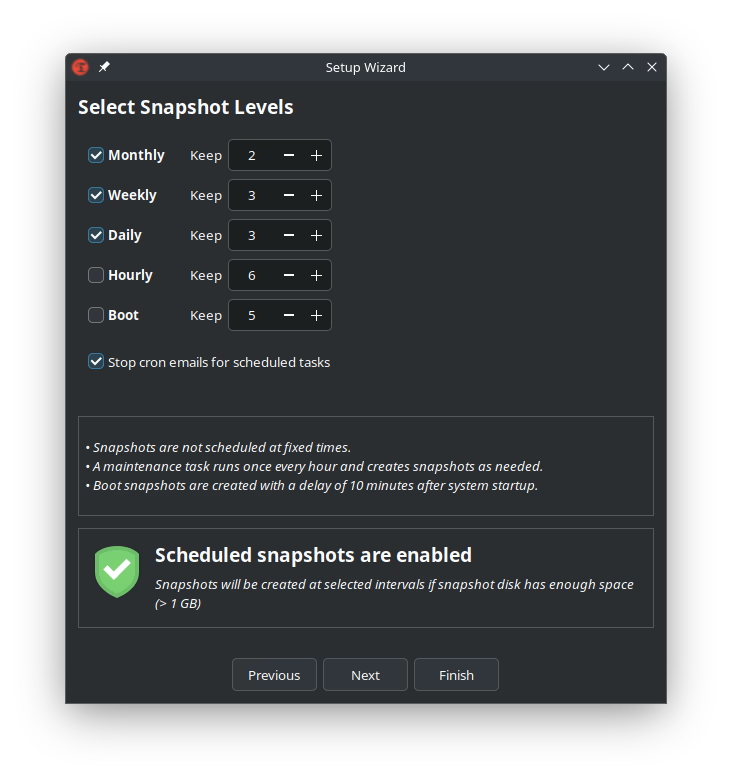
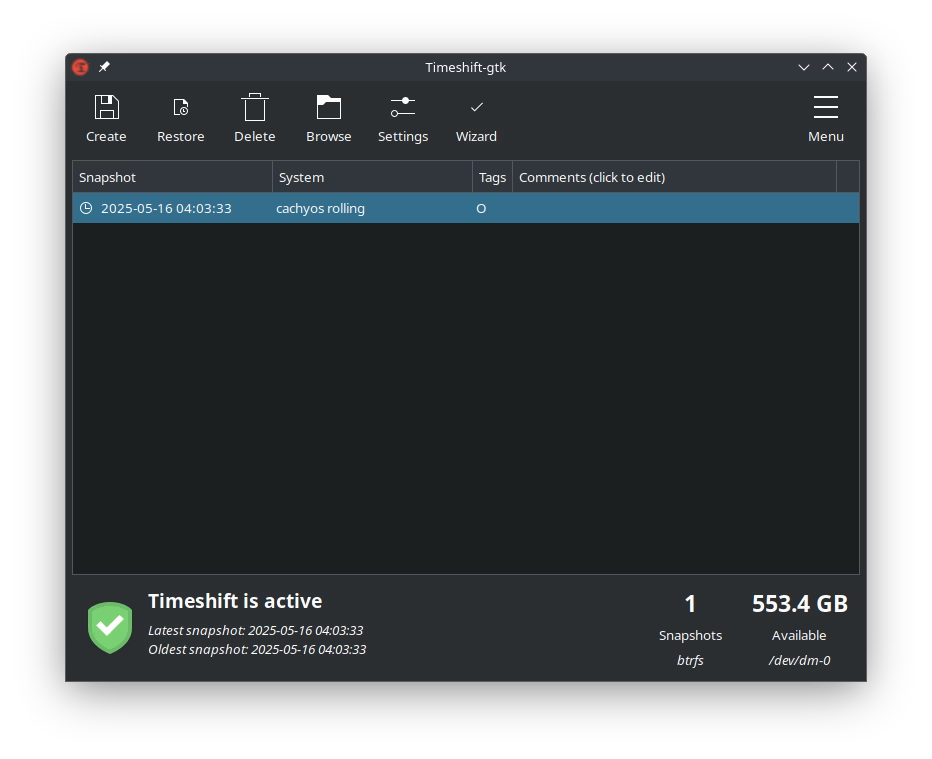
On Linux, your personal data lives in your /home/USER directory, which can be its own partition on your drive.
If you ever reinstall your distro, keep your home directory and pick up where you left off.
That's the day support ended for Windows 10 Home and Pro. Security fixes now only come through Microsoft's Extended Security Updates program, and for home users that ends on October 13, 2026. After that, no more updates at all.
If you're still on Windows 10, you're on borrowed time. That might sound great if you hate updates, but Windows needs security updates to keep you from getting owned by exploits. End of life also means developers and companies stop supporting Windows 10: GPU drivers, games, launchers, browsers, and other software will eventually stop shipping Windows 10 versions. You'll have to upgrade to Windows 11, buy a new computer that supports it, or install another operating system, like Linux.
Linux isn't just a community hobby project. Big companies invest in developing it and making it better: Valve, Google, IBM and Red Hat, Canonical, Meta, Samsung, Cisco, Intel, AMD, NVIDIA, SUSE, Qualcomm, Oracle, Citi, Airbnb, and a lot more.
Even Microsoft.
If you're a developer, Linux beckons you from the deep. Native support for any language you want to develop in, a robust environment for compiling and testing, and any editor or IDE you need except Apple's Xcode.
Look around your office for the experienced graybeards: they're running Linux and hacking away in a terminal editor like Neovim or Emacs.
Linux is free as in free beer, and free as in liberty. Pay nothing for it. No cracks or cheap activation keys required.
It's developed in the open by communities and companies alike.
Not only did he switch to Linux, he runs an advanced setup. Are you really going to let PewDiePie show you up?
Six steps from curious to a working Linux install. It reads long because it's thorough; the actual process is quick.
Using a different operating system than the one you know will always come with a learning curve and a change of habits. If you've switched between Windows and macOS, you know you can't do everything the exact same way, for better or worse. Same for Android and iPhone. Switching to Linux means changing your habits a bit.
If you're a gamer, the main thing that can stop a game from running on Linux is anti-cheat that doesn't allow Linux. Check your games on these databases:
Installing apps on Linux is different from Windows, much like macOS is different from Windows. Most apps have several install options; sometimes there's only one. On Windows you usually download an EXE or MSI installer, or use the Microsoft Store. On macOS, half the time it's the App Store, and the other half you download a DMG, open it, and drag the app into /Applications.
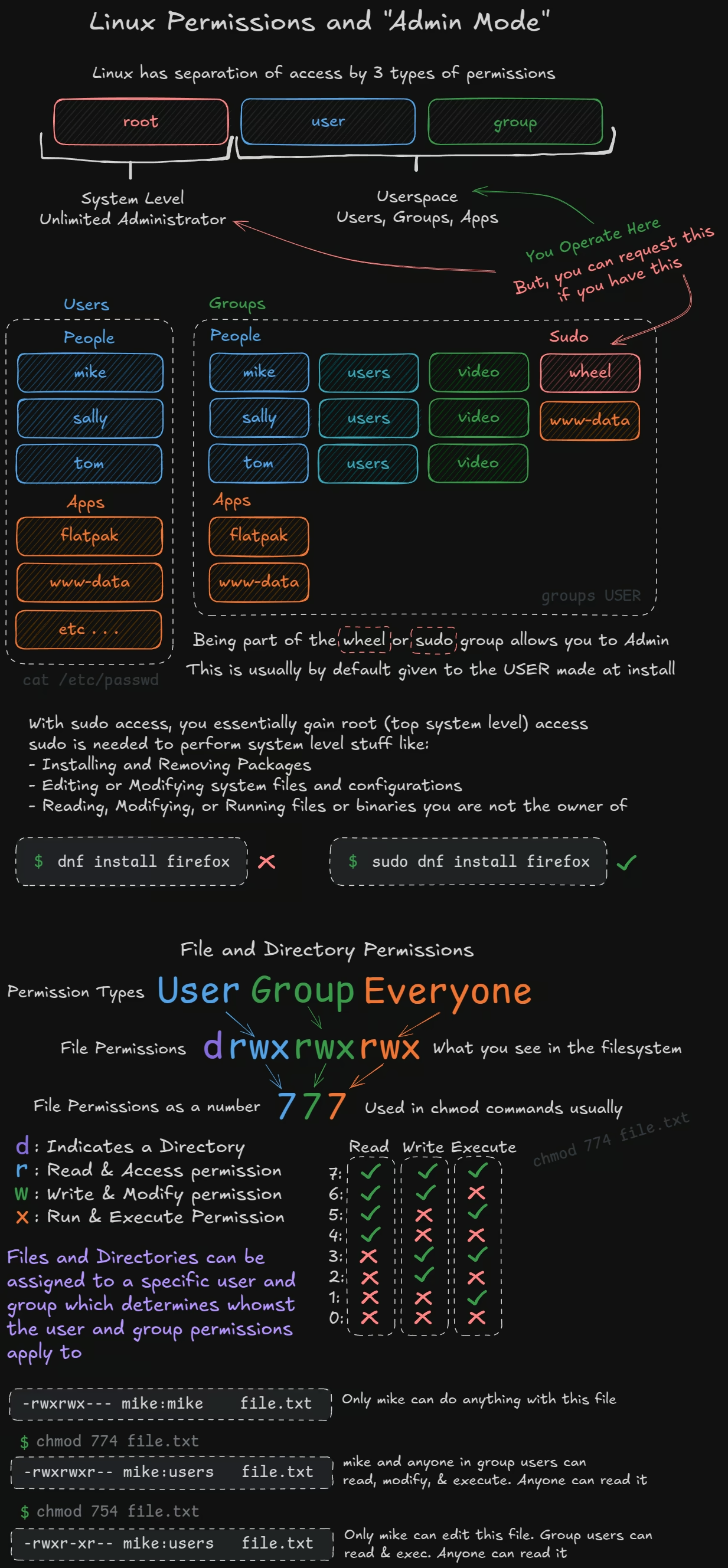
.flatpak file. The de facto official repository is Flathub, run by the GNOME Foundation. Apps are bundled with their dependencies and sandboxed. Updates download as deltas, and you choose when to update.snapd manager updates them automatically..app. Some AppImages update themselves, but many don't; an AppImage manager like Gear Lever helps keep them current..deb for apt, .rpm for dnf/yum/zypper, .pkg.tar.zst for pacman. Download and install them, usually from the command line, though double-clicking often opens a graphical installer. Many enterprise and commercial apps ship this way; Autodesk Maya and Slack offer .rpm downloads, for example..EXE. Executables usually have no file extension, but many use .run. They're compiled apps you can just run. Sometimes it's the app itself; sometimes, as with NVIDIA's proprietary drivers, it's an installer.GCC, CMake, clang, meson, ninja, cargo, zig, or go.Running an app or changing something sensitive may ask for your password. That's the app asking to escalate to administrator level for a task, like the shield icon and Allow prompt (UAC) on Windows. Apps can't change your whole system without your permission and your password, which protects you from malicious apps and scripts and from anyone using your unlocked desktop.
root
System level. The unlimited administrator.
users groups apps
Userspace. People, groups, and apps. You operate here.
You can request root for a single command with sudo if your user is in the wheel or sudo group. The user created during install usually is.
$ groups mike
mike users video wheel      # wheel: mike can use sudo
$ groups sally
sally users video          # no wheel: sally can't administer
With sudo, you effectively get root (top system level) access. You need it for system-level work like installing and removing packages, editing system files and configuration, and reading, changing, or running files you don't own.
$ dnf install firefox         denied: installing is system-level
$ sudo dnf install firefox    asks for your password, then installs
Every file and folder has an owner (a user) and a group, plus three sets of permissions: one for the owner, one for the group, and one for everyone else.
d it's a directory (folder)r read and accessw write and modifyx run and executeWhat you see in a file listing is the letters; chmod commands usually use the numbers. Each digit adds up read (4), write (2), and execute (1):
| Digit | Letters | Read | Write | Execute |
|---|---|---|---|---|
| 7 | rwx | Yes | Yes | Yes |
| 6 | rw- | Yes | Yes | No |
| 5 | r-x | Yes | No | Yes |
| 4 | r-- | Yes | No | No |
| 3 | -wx | No | Yes | Yes |
| 2 | -w- | No | Yes | No |
| 1 | --x | No | No | Yes |
| 0 | --- | No | No | No |
$ ls -l file.txt
-rwxrwx---  mike:mike   file.txt   # only mike can do anything with it
$ chmod 774 file.txt
-rwxrwxr--  mike:users  file.txt   # mike and group users: read, modify, run. Everyone: read
$ chmod 754 file.txt
-rwxr-xr--  mike:users  file.txt   # only mike edits. Group users: read, run. Everyone: read
$ chmod 754 file.txt
-rwxr-xr-- mike:users file.txt
mike can read, write, and run it. Group users can read and run it. Everyone else can read it.
Linux is a UNIX-like system, and so is macOS, so their structures are very similar. Windows and UNIX are very different. You'll see "directory" or "dir" used for what many people call folders.
The Linux filesystem starts at the root, /. Everything, on every drive, lives under /, unlike Windows with C:\, D:\, and so on. When you mount a USB drive from your file manager, it typically ends up at something like /media/[username]/[drive_name]: the path starts at /, then /media, a special system directory for runtime stuff.
Common top-level directories:
/etc/home/bin/media/var/tmp/opt/run/dev/dev/nvme0n1 is your NVMe SSD; /dev/dri/card0 is your GPU/procEvery Linux operating system is assembled from swappable components. A distro is mostly someone's pre-picked selection of these components, configured to work together. That's why there are so many distros, and why Linux people argue about things that sound made up.
What the main components do, in plain English:
vanilla (latest), LTS (older and stable), or zen (tuned for desktop and gaming).systemd; niche distros use OpenRC or runit. You'll never touch it directly.Wayland is the modern default on nearly every desktop; X11 is the legacy system being phased out. (Linux Mint's Cinnamon is the notable exception: it still defaults to X11, with Wayland as an option.)KDE Plasma, GNOME, Cinnamon. Minimal window managers like Hyprland and Sway give you just windows and keyboard shortcuts. This is the choice that shapes your experience.PipeWire is the standard on every modern distro; PulseAudio and raw ALSA are legacy.apt (Debian/Ubuntu), dnf (Fedora), pacman (Arch), zypper (openSUSE). It's the main thing that makes distro families feel different.ext4 is the reliable classic. Btrfs is the modern one that enables instant system snapshots with tools like Timeshift. XFS is another solid option. You pick it at install.GRUB or systemd-boot. The installer sets it up; you'll never touch it.NetworkManager, sometimes with iwd helping behind the scenes. Preinstalled; never think about it.What you should care about
Your desktop environment (your whole day-to-day experience), your distro family and its package manager (how you install things), and maybe the filesystem if you want easy snapshots (pick Btrfs).
What you never need to think about
The init system, compositor, audio server, bootloader, and network manager. Every mainstream distro ships good defaults, and they just work.
This is the opposite of what most people say. They tell you to pick a distro first. Wrong.
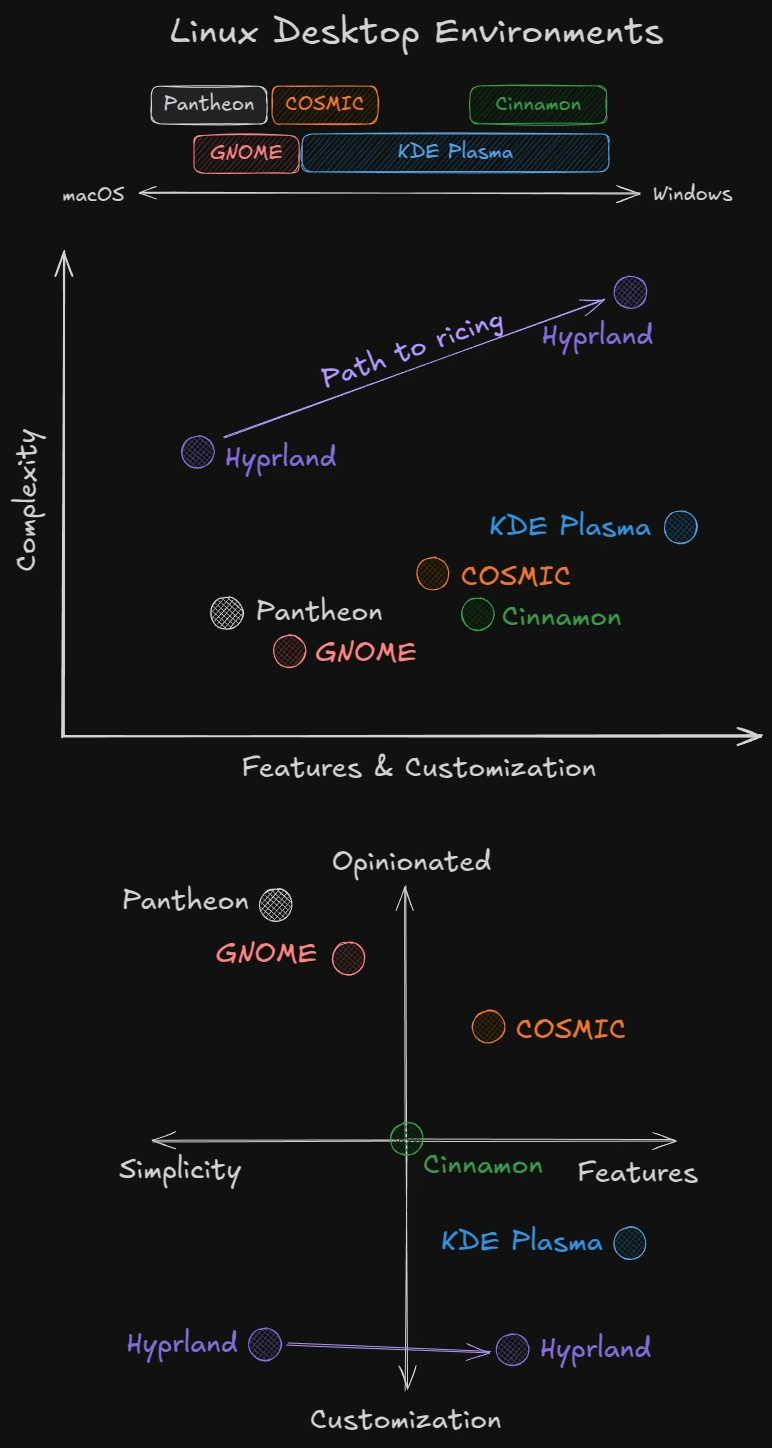
First, which distro you use matters less than the desktop experience you want. Distros differ, but that choice comes later. How you interact with your computer is shaped by the desktop environment (DE). For simplicity, this guide also calls window managers like Hyprland and Sway desktop environments. Different DEs have different designs, philosophies, and values.
Second, your chosen DE isn't a first-class citizen on every distro. This matters.
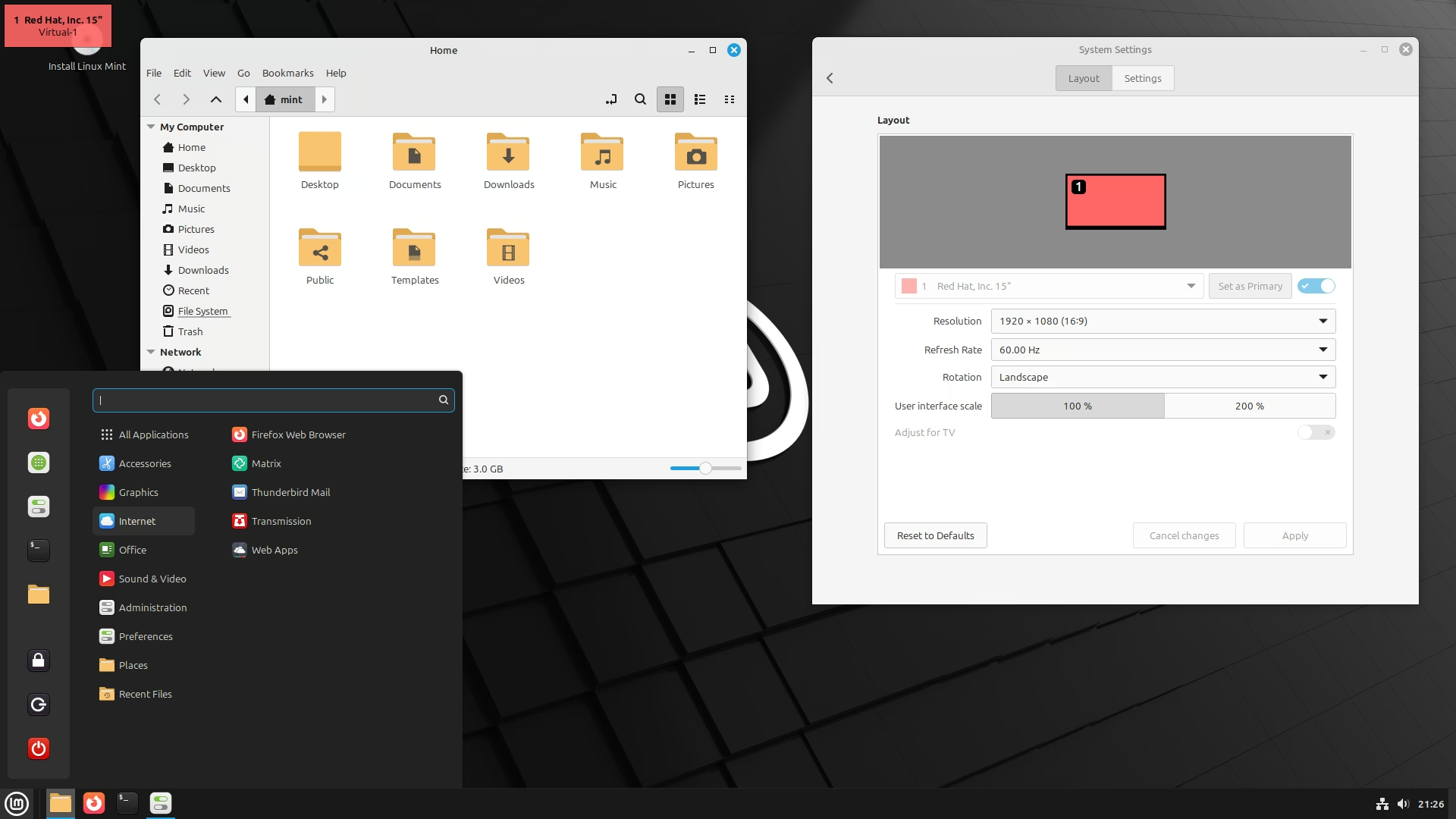
Ubuntu, with its modified GNOME, feels different from Fedora's pure GNOME. Ubuntu also has flavors like Kubuntu for KDE, Lubuntu for LXQt, and Xubuntu for Xfce. KDE Neon is based on Ubuntu but always ships the latest KDE, unlike Ubuntu itself. Linux Mint is popular with new users because it's stable and easy with the Cinnamon DE, and it also offers MATE and Xfce. Hyprland doesn't work well on Ubuntu or Debian, which is why it's recommended on more up-to-date distros like Arch, Fedora, openSUSE, or NixOS.
| Desktop | Feels like | Complexity | Features and customization | Style |
|---|---|---|---|---|
| Pantheon | macOS | Low | Low | Simple, very opinionated |
| GNOME | macOS | Lowest | Low | Simple, opinionated |
| COSMIC | Between macOS and Windows | Low to medium | Medium | Opinionated, more features |
| Cinnamon | Windows | Low | Medium | Balanced |
| KDE Plasma | Middle to Windows | Medium | High | Feature-rich, customizable |
| Hyprland | Neither | Medium, highest once riced | Low, highest once riced | Most customizable |
Once you know the desktop experience you want, you can narrow the distros down to the few that focus on it or support it best.
So what makes a distro a distro? A Linux distro is simply an opinionated, curated Linux release. A team behind it decides the base system, the defaults, and the repositories packages come from. Some distros have bespoke setups: elementary OS and Pop!_OS have their own desktop environments, Pantheon and COSMIC. Some offer something different, like CachyOS compiling its repositories for specific CPU architectures for speed and hardware optimization.
Distros generally fall into family branches, though independent ones exist:
Your distro determines your primary package manager, where some system-wide configuration lives, the default desktop, and whether updates come as versioned releases or rolling ones. Ubuntu 24.04 LTS, for example, is a long-term-support release that only gets bug-fix and security updates, not new major versions. Arch, openSUSE Tumbleweed, and Debian Sid are rolling releases that update packages as soon as possible.
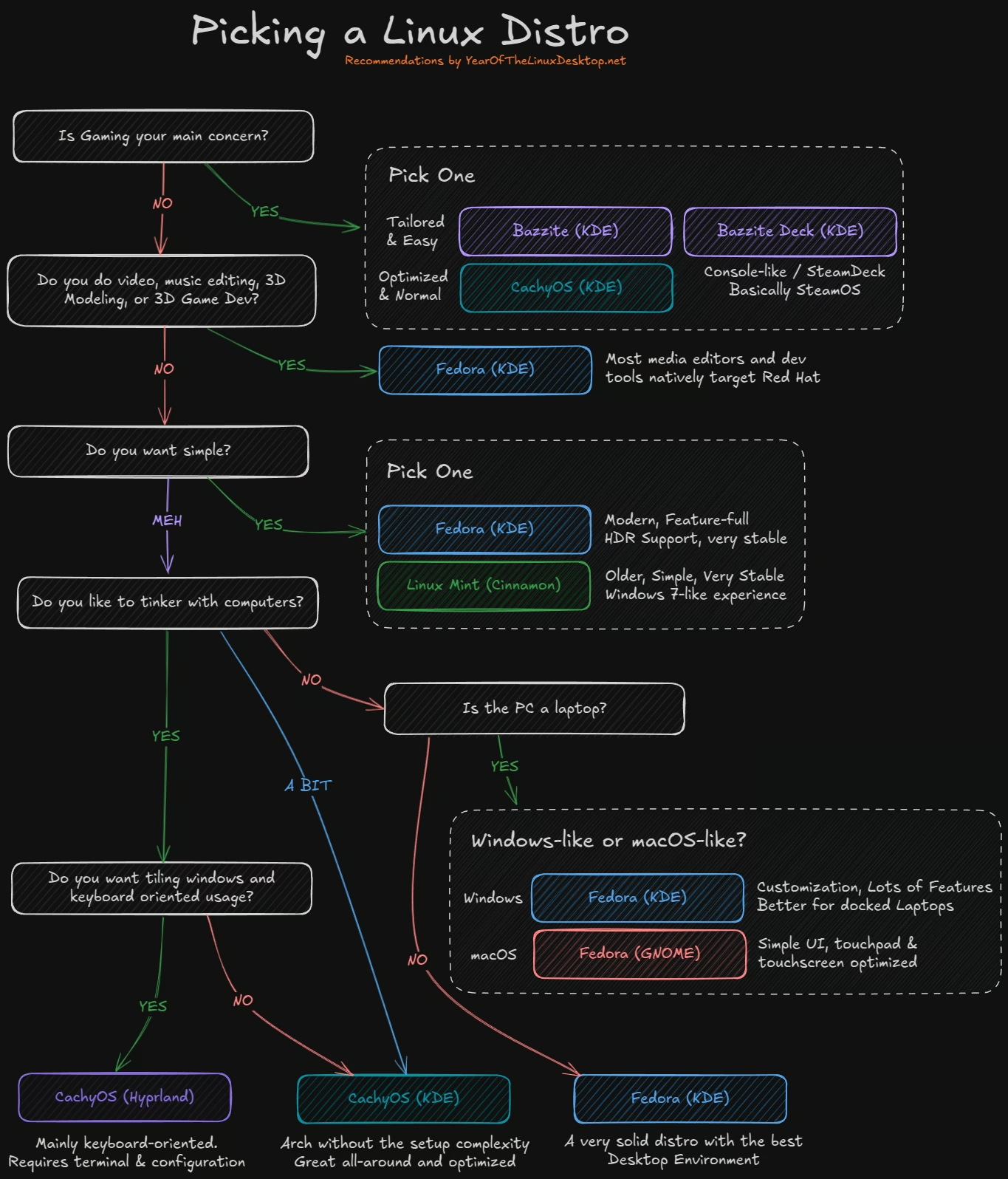
| If you… | Try |
|---|---|
| Mostly game | Bazzite (KDE Plasma), or CachyOS (KDE Plasma) if you like to tinker. For a couch PC, Bazzite Deck (best on AMD; Intel Arc and newer NVIDIA cards have their own images). |
| Do video, music, 3D, or game dev | Fedora KDE. Most media and dev tools target Red Hat. |
| Want simple and stable | Linux Mint (Cinnamon) for a Windows 7 feel, or Fedora KDE for something more modern. |
| Use a laptop and like macOS | Fedora Workstation (GNOME). |
| Like to tinker a bit | CachyOS (KDE Plasma). |
| Want keyboard-driven tiling | CachyOS with Hyprland, or Omarchy. Both are for advanced users. |
Download the ISO file for the distro you picked, or several if you want to try more than one. Then pick a method below, based on the operating system you're using now, to set up the USB installer.
With a bootable USB drive ready, it's time to boot it and install.
How depends on your PC, motherboard, or laptop brand. You press and hold a key as the PC first powers on. If the boot menu keys don't work, go into the BIOS/UEFI setup and look for a boot override, or change the boot order so USB comes first.
Option 1: press and hold the boot menu key at power-on. The most common: F12 (Dell, Lenovo, Acer, Gigabyte), F11 (MSI, ASRock), F8 (ASUS desktops), ESC (ASUS laptops), F9 (HP). The BIOS/UEFI setup itself is usually DEL or F2.
Option 2: restart from Windows. Hold Shift while clicking Restart in the Start menu, then choose Use a device and pick your USB drive. If that option isn't there, click Troubleshoot > Advanced options > UEFI Firmware Settings to open the BIOS/UEFI setup and boot the USB from there.
The boot menu usually lists it as one of: USB drive model name, USB Drive Media, USB Partition [#], the distro's name, or UEFI Linux OS. It should not be one that says Windows, an SSD model, CD, DVD, or Network.
OK.VENTOYEFI and press ↵ Enter.ENROLL_THIS_KEY_IN_MOKMANAGER.cer and press ↵ Enter.REBOOT.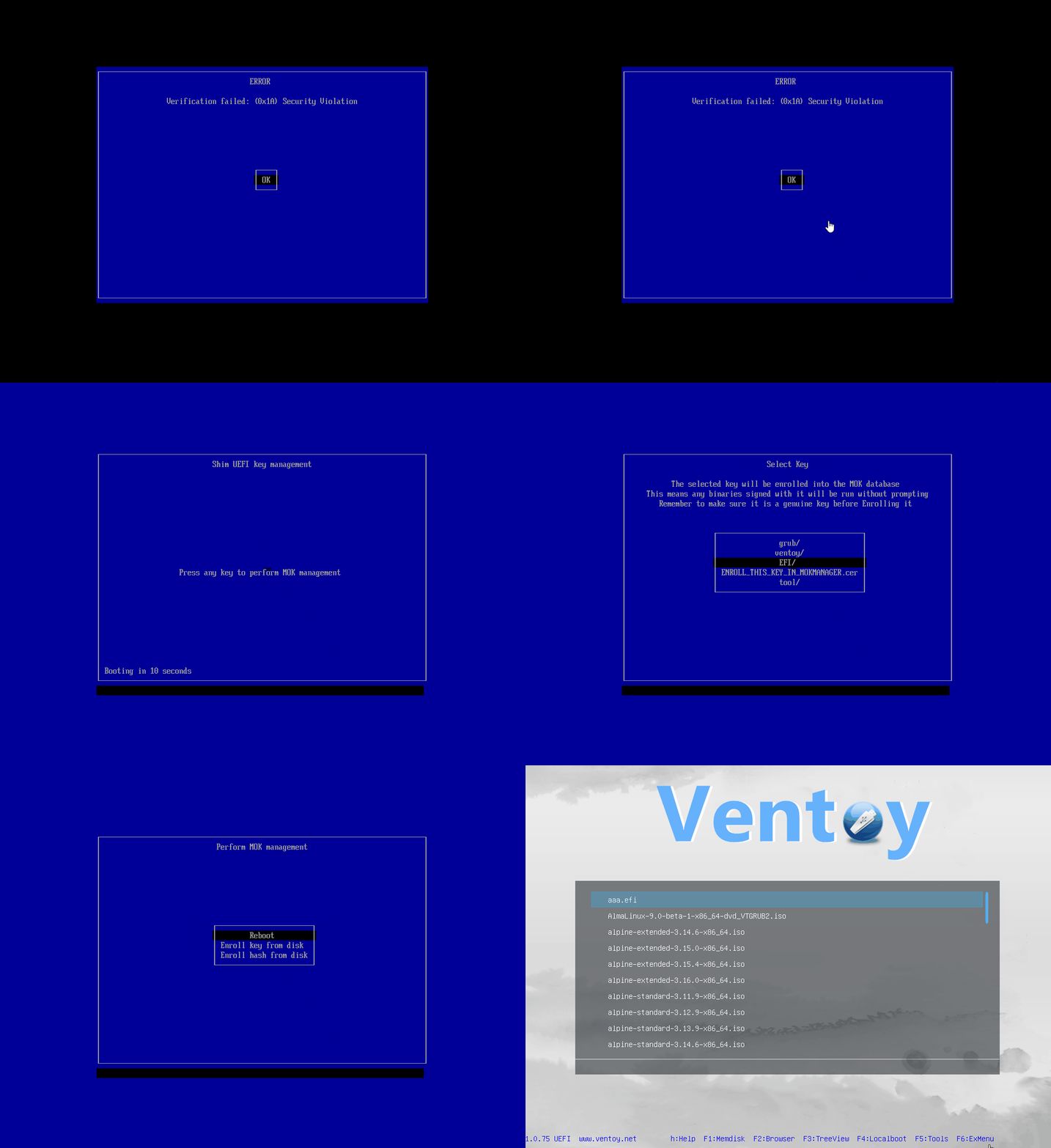
Read Bazzite's Secure Boot instructions
OK.universalblue. The letters stay invisible for security.REBOOT.Try and Install [distro], Install [distro], or Start [distro]. Your Linux distro boots.
There are several different installer interfaces, so I can't give click-by-click instructions for all of them yet; installers guide you anyway. Here's what you'll run into and what to choose.
The automatic or "choose for me" option is usually fine. If it asks for a filesystem, pick Btrfs; if that's not offered, pick ext4.
Decide whether you want Disk Encryption ("Encrypt my data"). It protects your data and your install from anyone who gets physical access to your PC, or if it's lost or stolen. You'll set a password you must remember, because you enter it at every boot. An encrypted drive can't be decrypted without that password. That's the whole point.
A partition is a slice of your disk. Linux installs typically use a few: a small EFI partition (the boot files your PC needs to start), a root partition (/, the OS, your programs, and your files), and historically a home partition (/home, your user data) and a swap partition (overflow space for when RAM fills up).
Recommended default for a modern Linux install:
FAT32. Its size depends on the bootloader: about 1GB mounted at /boot/efi for GRUB (Fedora, Mint, Ubuntu), or a bigger one mounted at /boot for bootloaders that keep the kernels on it: 2GB or more for systemd-boot, 4GB or more for Limine.Btrfs root partition (/) using the rest of the disk.The alternative: a decent-sized root partition plus a separate /home partition, so your data survives an OS reinstall. It's a classic setup with a catch: on modern Linux, apps don't all live in /home. System Flatpaks install to /var/lib/flatpak and Snaps to /var/lib/snapd, both on the root partition, so a big chunk of your disk use lands on root anyway. If you split, size root generously, or just use the single-root default above.
In the Calamares installer (CachyOS, EndeavourOS, Manjaro, Garuda, and friends):
Btrfs if it asks). This is the easy, correct answer.FAT32 partition with the boot and esp flags, sized for the bootloader you pick: at least 4GB mounted at /boot for Limine, at least 2GB at /boot for systemd-boot or rEFInd, or 1GB at /boot/efi for GRUB. Then one Btrfs partition with the rest of the disk, mounted at /. No swap. Done.Fedora family (Fedora, Bazzite): current Fedora uses the newer web-based Anaconda installer (older releases and Bazzite use classic Anaconda, not Calamares). Either way, take the automatic default. Fedora's default is a Btrfs volume split into root (system) and home (your data) subvolumes, which gives you the "separate home" benefit without a separate partition. On Bazzite especially, stick to the automatic path: the OS is an immutable image and manages itself.
If in doubt, use the installer's automatic or "Erase disk" option. On every distro mentioned here, that already gives you the recommended layout.
Third Party Repositories, Hardware Drivers and Firmware, or Proprietary Drivers and Codecs. Enable them. You want everything. Screw the libre purity; you want things to work.Log in to your new install and poke around System Settings to make it yours.
Browse the curated apps below and install the ones you want. Good apps are marked Recommended, and the ones I personally use are marked Mike's pick. The gaming section covers game clients, setups, and tips, and the resources section has guides, wikis, and tutorial videos.
The desktop environment is the interface you see and use all day. There are several, and they look and work differently. Pick one first; the distro comes second.
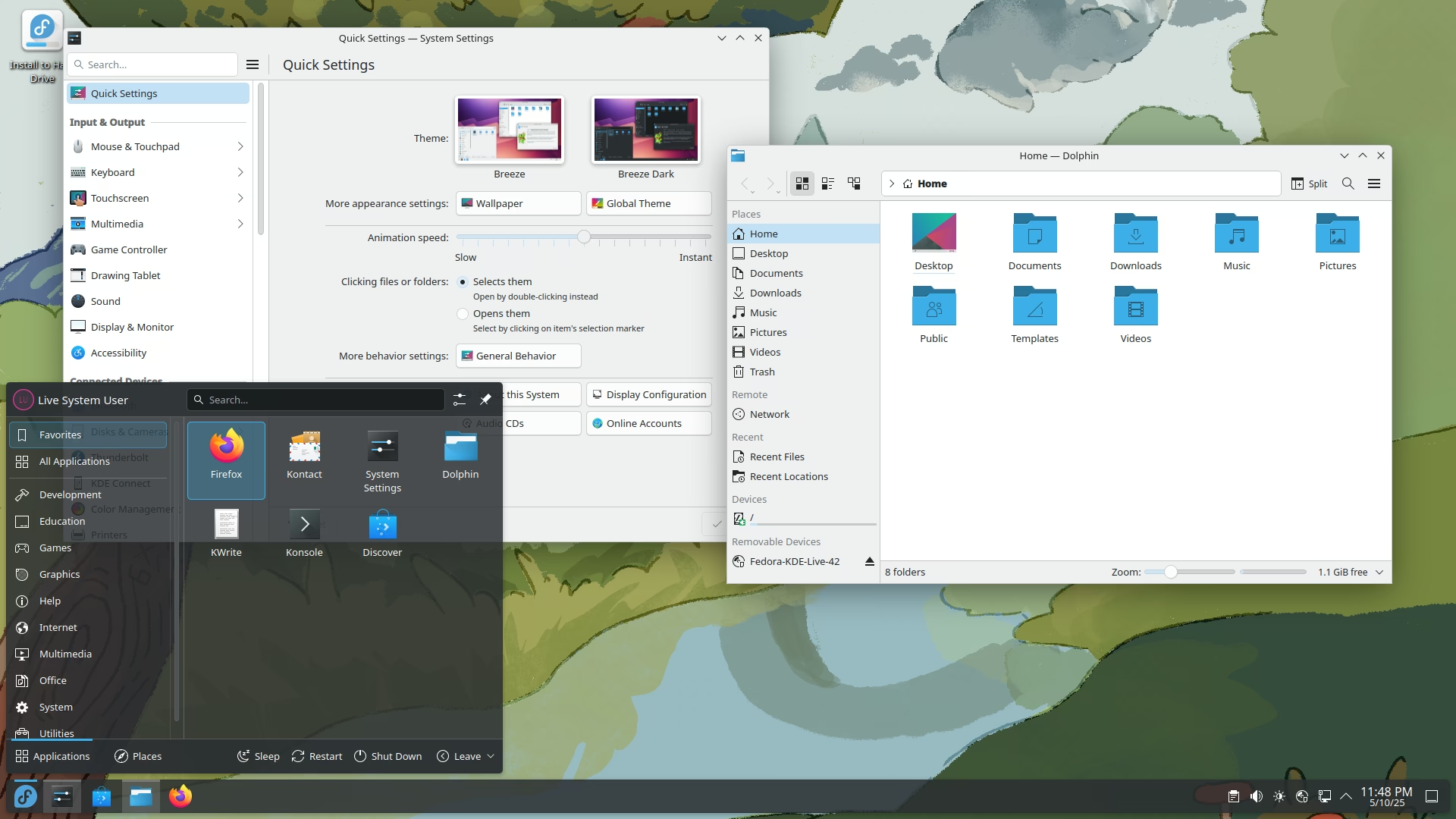

Desktop Environment
HDR, Variable Refresh Rate, Very Customizable, Windows-like
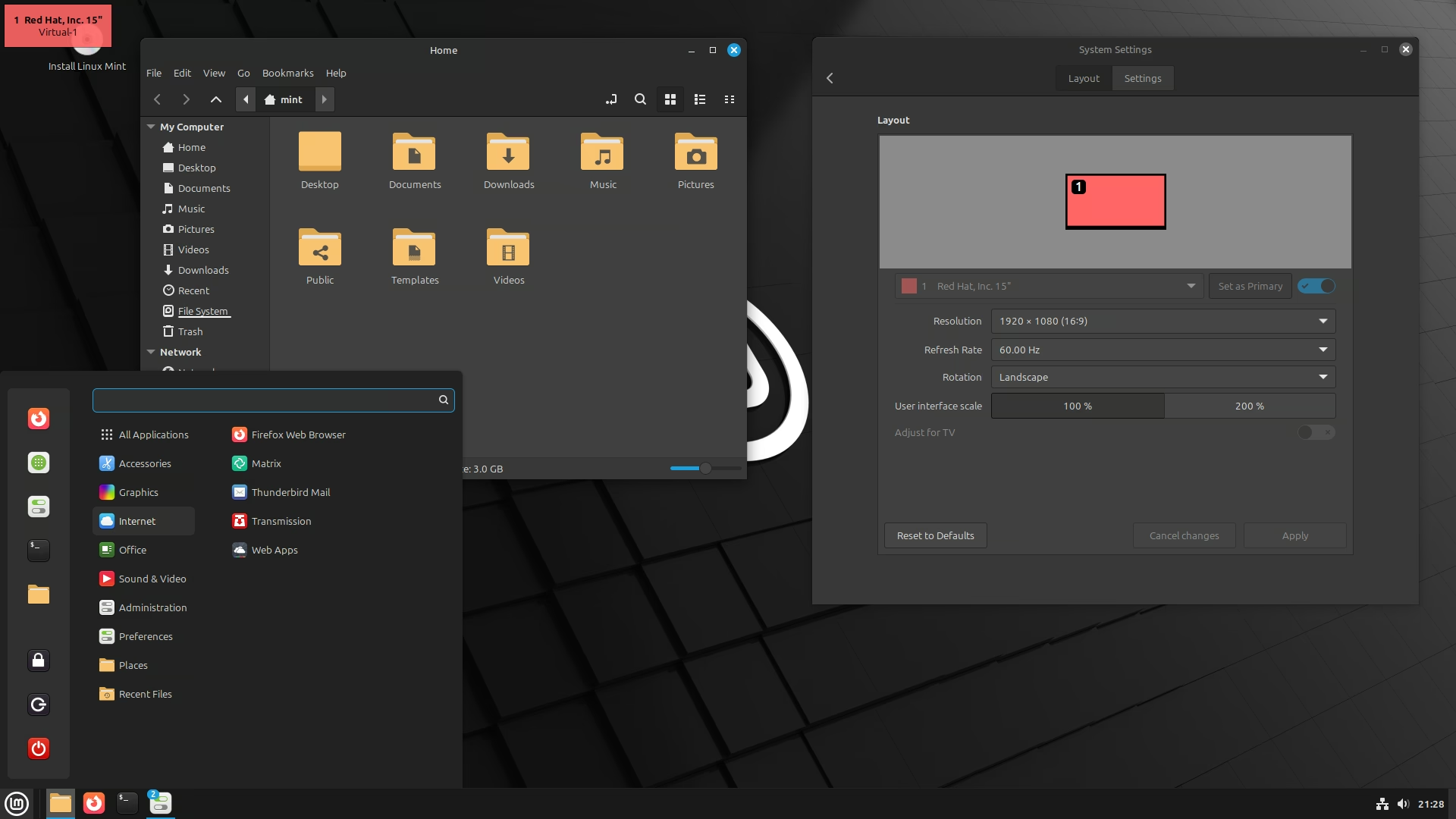

Desktop Environment
Customizable, Windows-like
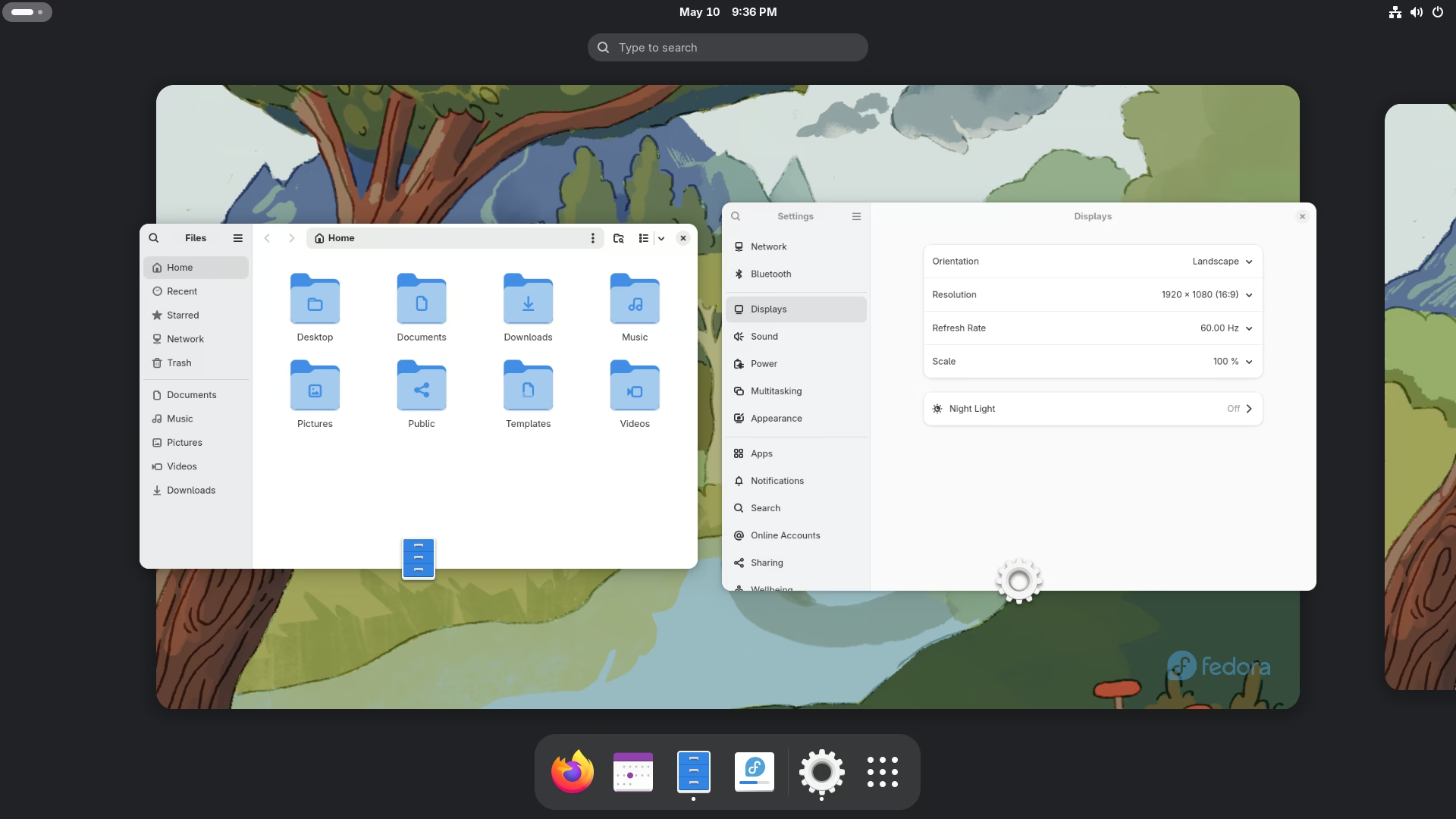

Desktop Environment
HDR, Variable Refresh Rate, macOS-like, Laptop Optimized


Window Manager
HDR, Dynamic Window Tiling, Highly Customizable, Keyboard Oriented
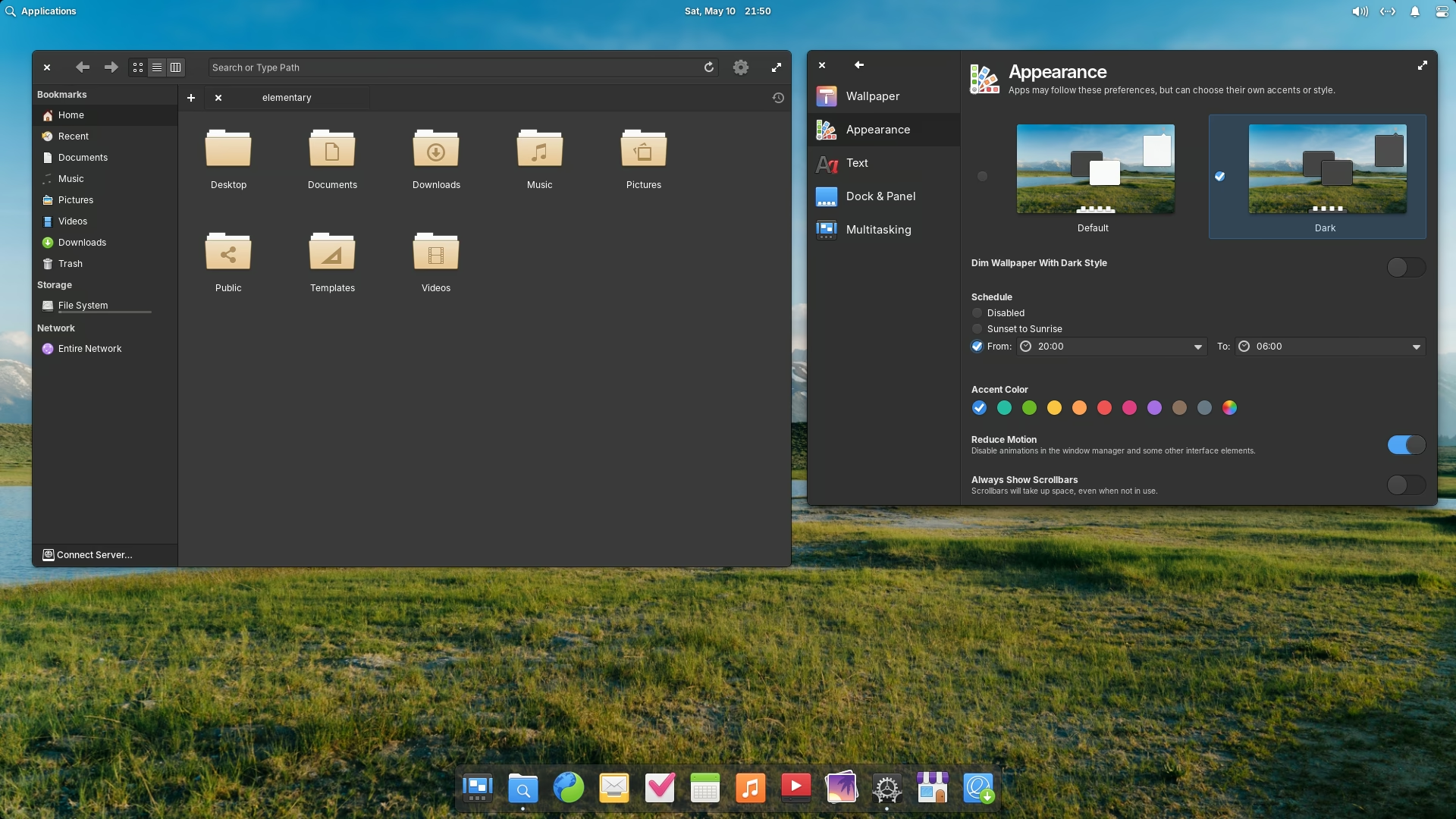

Desktop Environment
macOS-like, Laptop Optimized
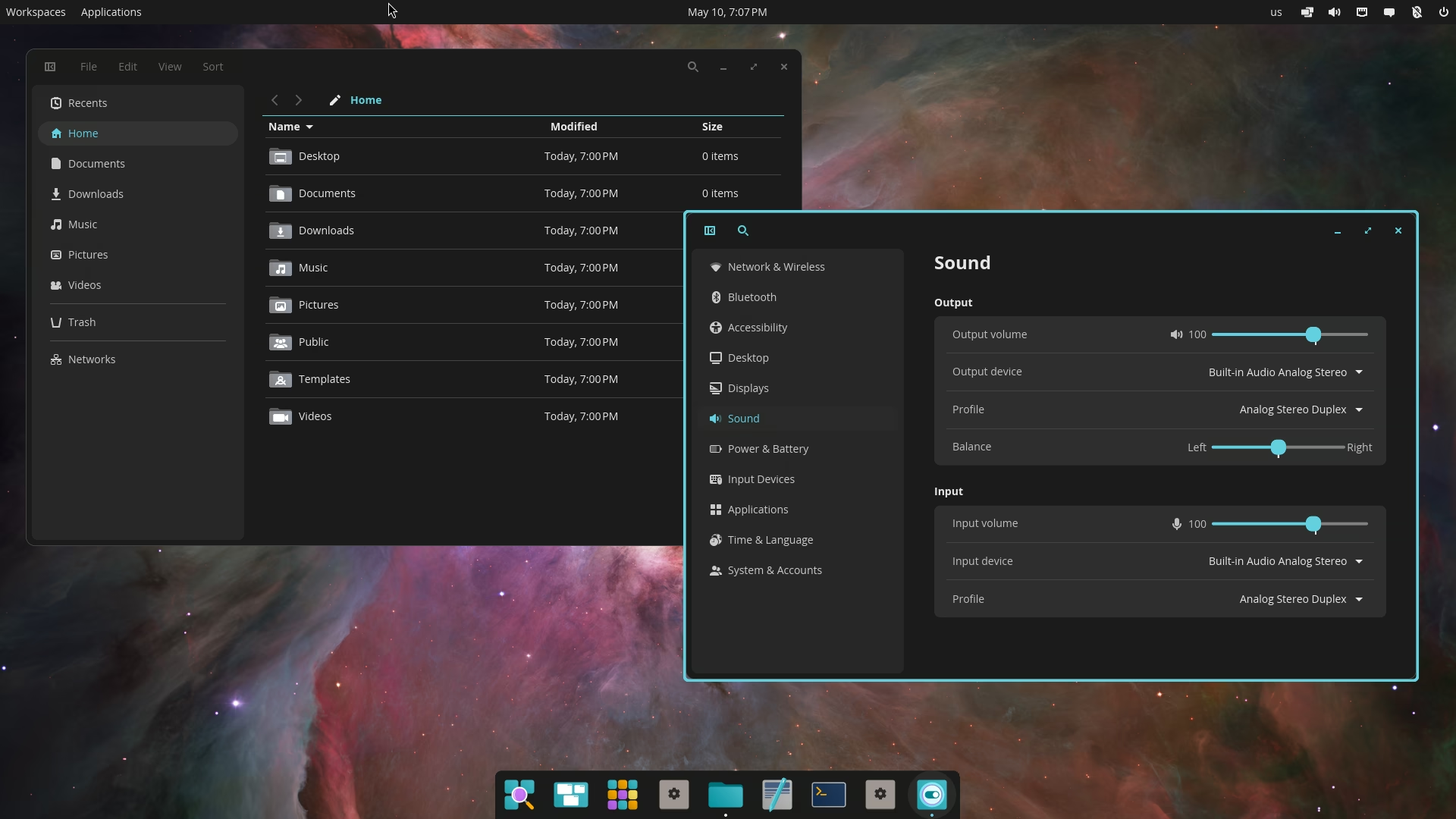

Desktop Environment
HDR Planned, Dynamic Window Tiling Option, macOS-like, Laptop Optimized

Window Manager
Window Tiling, Customizable, Keyboard Oriented
Desktop Environment
Windows-like

Desktop Environment
Windows-like

Desktop Environment
Windows-like

Desktop Environment
Windows-like

Desktop Environment
Windows-like
These are not all the Desktop Environments or Window Managers available. These are just some of the most prominent and/or ones that support modern features going forward.

Fedora Family
Fast Updates

Fedora Based
Gaming Optimized, Fast Updates, Immutable

Arch Family
Gaming Optimized, Latest Updates
Arch Based
Latest Updates

Arch Based
Gaming Optimized, Latest Updates

Arch Based
Versioned Updates

Ubuntu Family
Canonical, Regular Updates

Ubuntu Family
Canonical, Regular Updates, Media Creation Optimized

Ubuntu Based
KDE Foundation, Slow Updates

Upstream
SUSE, Latest Updates
openSUSE Based
SUSE, Regular Updates

openSUSE Leap Based
SUSE, Slow Updates

Fedora Based
Apple Silicon
Upstream
Latest Updates

Arch Based
Latest Updates, systemd-free
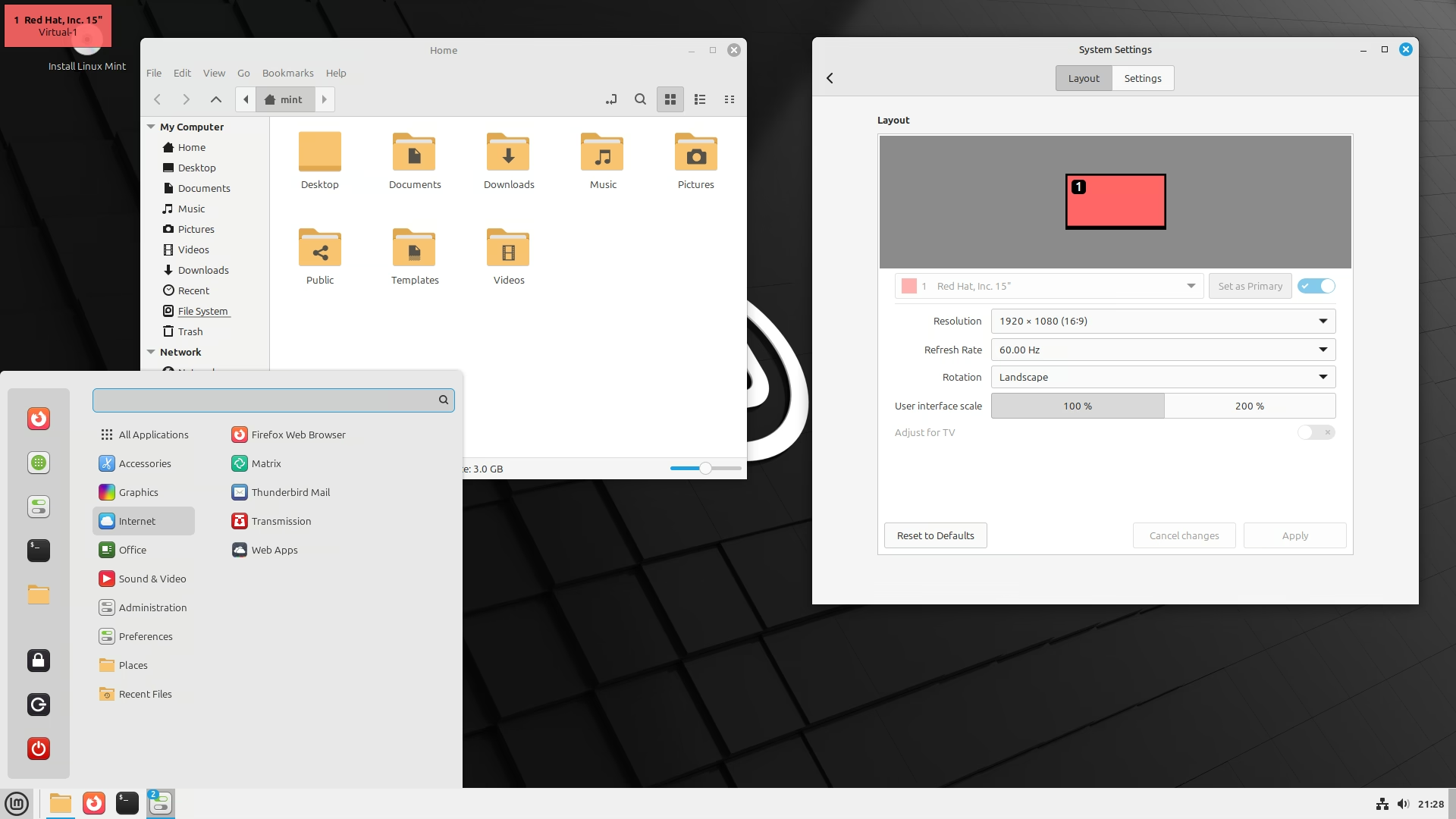

Ubuntu Based
Slow Updates
Arch Family
Gaming Optimized, Latest Updates
Arch Based
Latest Updates
Arch Based
Gaming Optimized, Latest Updates
Arch Based
Versioned Updates
Upstream
Latest Updates
Arch Based
Latest Updates, systemd-free
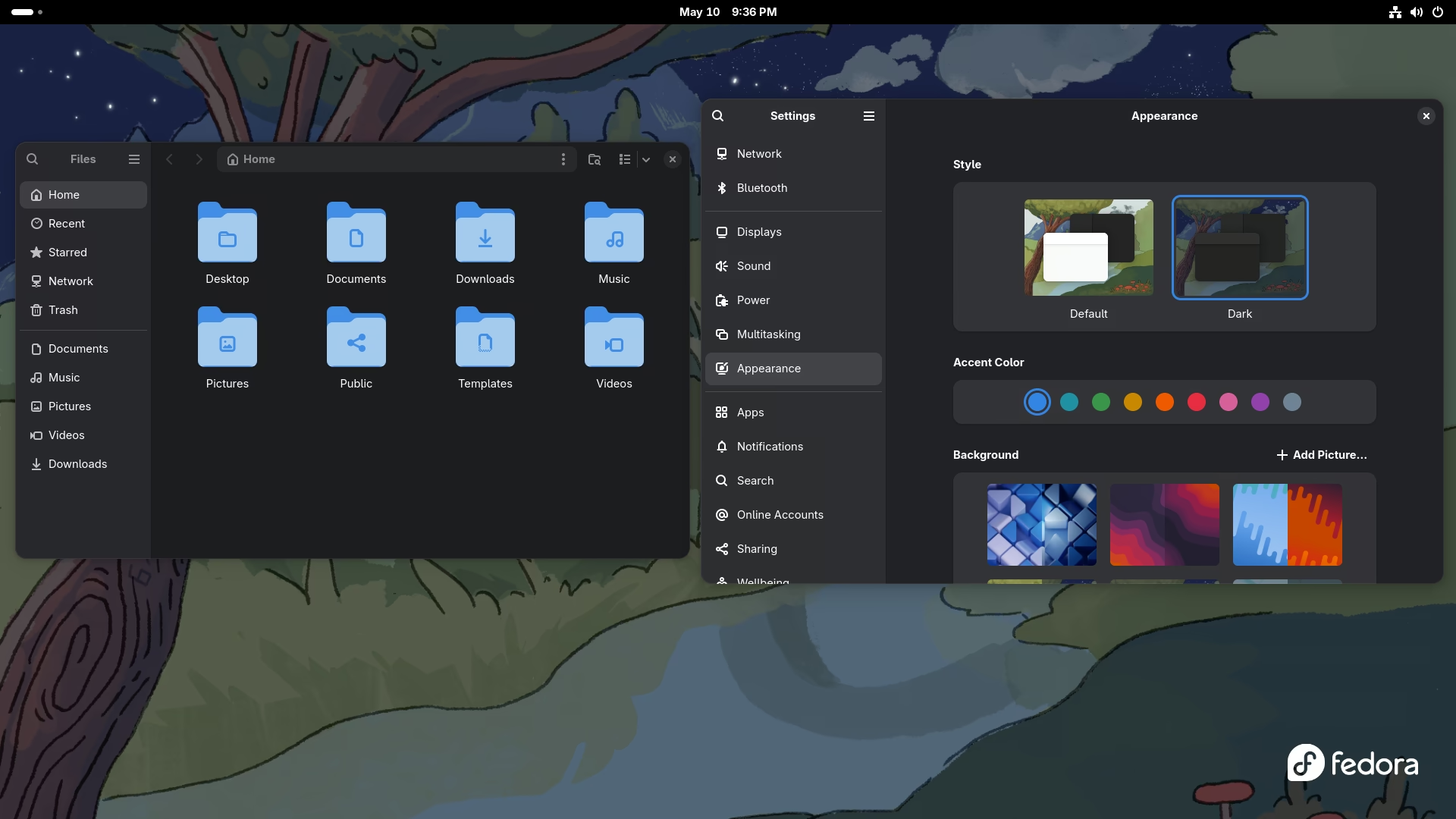
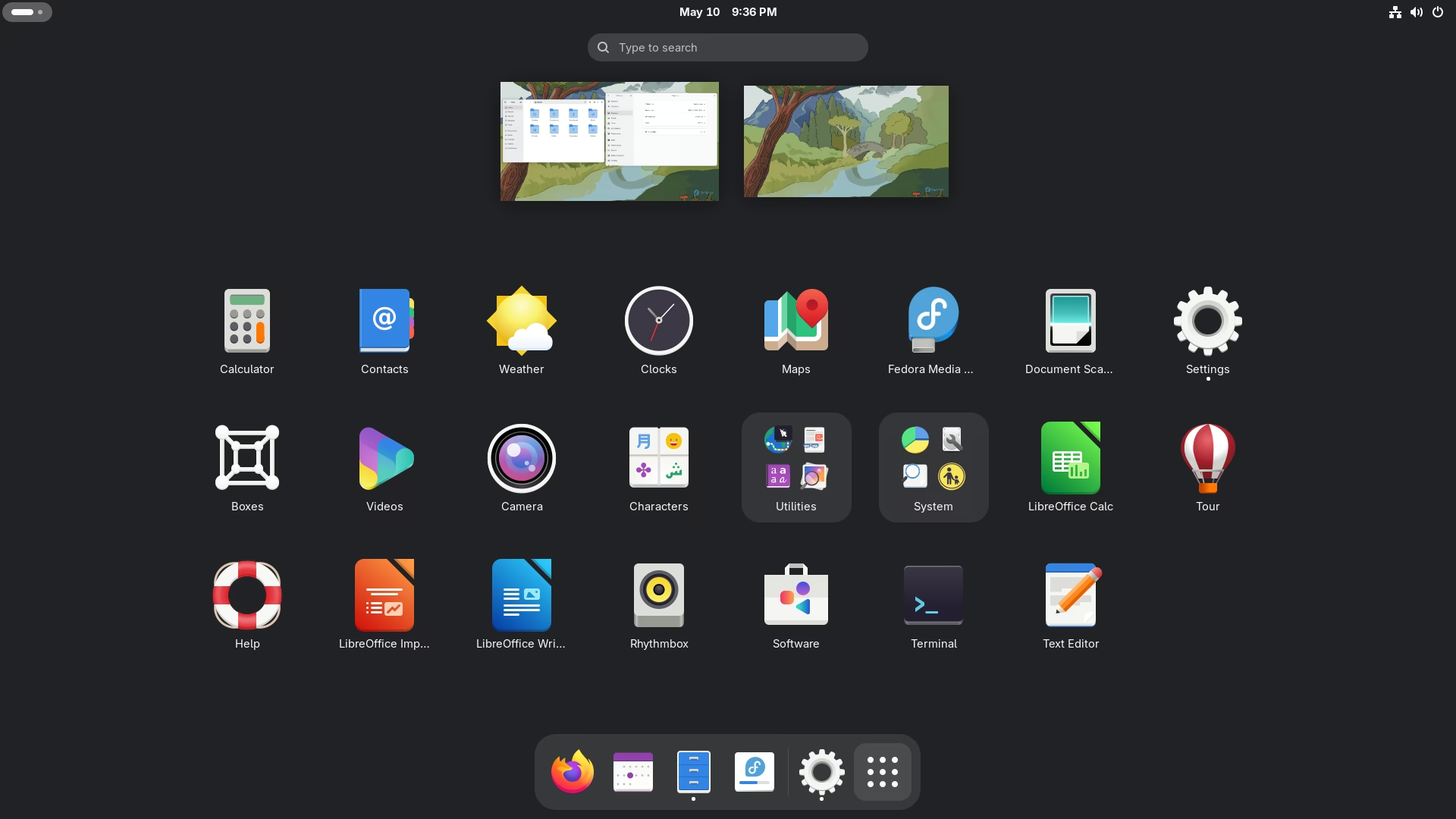
Fedora Family
Fast Updates
Debian Based
Canonical, Regular Updates, LTS - Long Term Support Versions

Ubuntu LTS Based
Slow Updates, Paid Pro Option

Ubuntu LTS Based
System76, Slow Updates
Arch Family
Gaming Optimized, Latest Updates
Arch Based
Latest Updates
Arch Based
Gaming Optimized, Latest Updates
Arch Based
Versioned Updates

Fedora Based
Red Hat, Fast Updates

CentOS Based
Red Hat, Paid Only, Long Term Support, Slow Updates

Red Hat Based
Long Term Support, Slow Updates

Red Hat Based
Long Term Support, Slow Updates

Red Hat Based
Oracle, Long Term Support, Slow Updates
Upstream
Latest Updates
A distro is a curated Linux release. This isn't an exhaustive list, because there are a lot of distros. These are the notable ones, and the ones I recommend.
Fedora Family
KDE Plasma
Fast Updates
Fedora Family
KDE Plasma
Gaming Optimized, Fast Updates, Immutable
Arch Family
KDE Plasma
Gaming Optimized, Latest Updates
Debian/Ubuntu Family
Cinnamon
Long Term Support - Slow Updates
Fedora Family
GNOME
Fast Updates

Arch Family
Hyprland
Pre-Configured Hyprland, Latest Updates
Debian/Ubuntu Family
Pantheon
Long Term Support - Slow Updates
Debian/Ubuntu Family
COSMIC
Long Term Support - Slow Updates
Arch Family
Sway
Latest Updates
Arch Family
Budgie
Latest Updates
Debian/Ubuntu Family
Xfce
Long Term Support - Slow Updates
Debian/Ubuntu Family
Mate
Long Term Support - Slow Updates
Arch Family
LXQt
Latest Updates
Arch Family
Deepin
Latest Updates
While I use KDE Plasma on CachyOS, an Arch based distro, I highly recommend Fedora with either KDE or GNOME for most people, or Cinnamon on Linux Mint. If you don't mind tinkering, use CachyOS.
Bazzite is the best gaming oriented distro. Nearly everything is done for you out-of-the-box. CachyOS is great too, technically even better, but you have to put in a tiny bit of effort.
Window managers like Hyprland are only for advanced users who know what they're doing. That includes Omarchy: it needs Secure Boot turned off and sets up full disk encryption for you.
Ubuntu has a modified GNOME Desktop Environment with some tweaks but Ubuntu, though popular, isn't that great anymore and excels at nothing. Therefore it didn't make this list.
Generally, this list sticks to Fedora, Linux Mint, an easy Arch-based distro like CachyOS, and the distros made for a specific desktop (like Pop!_OS for COSMIC). Window managers are usually best on an Arch-based system.

Upstream
Slow Updates
Debian Based
Regular Updates
Debian Based
Canonical, Regular Updates, LTS - Long Term Support Versions
Ubuntu Based
Canonical, Regular Updates, Media Creation Optimized
Ubuntu Based
Canonical, Regular Updates, Kubuntu - KDE, Lubuntu - LXQt, Xubuntu - Xfce, Edubuntu, Ubuntu Budgie, Ubuntu Cinnamon, Ubuntu Kylin, Ubuntu Mate, Ubuntu Unity
Ubuntu LTS Based
Slow Updates
Ubuntu LTS Based
System76, Slow Updates
Ubuntu LTS Based
Slow Updates
Ubuntu LTS Based
Slow Updates, Paid Pro Option
Ubuntu LTS Based
KDE Foundation, Slow Updates
Upstream
Fast Updates
Fedora Based
Gaming Optimized, Immutable
Fedora Based
Apple Silicon, M1 / M2 / M3 Macs
Fedora Based
Red Hat, Fast Updates
CentOS Based
Red Hat, Paid Only, Long Term Support, Slow Updates
Red Hat Based
Long Term Support, Slow Updates
Red Hat Based
Long Term Support, Slow Updates
Red Hat Based
Oracle, Long Term Support, Slow Updates
Upstream
Latest Updates
Arch Based
Gaming Optimized, Latest Updates

Arch Based
Gaming Optimized, Valve Software, Immutable
Arch Based
Latest Updates
Arch Based
Gaming Optimized, Latest Updates
Arch Based
Versioned Updates
Arch Based
Latest Updates, systemd-free

Gentoo
Compile Updates

Slackware
Slow Updates

Android
Google, Regular Updates, ARM Devices Focused
Alpine Linux
Regular Updates, Container Focused

NixOS
Regular Updates, Immutable and Atomic, Configuration File

Void
Regular Updates, runit init system

GoboLinux
Unique Filesystem Structure, Unique App System
Steam's Proton runs most Windows games on Linux. Check your games, pick a gaming-ready setup, and grab the launchers and tools.
Proton Game Status DB
Check a game's Proton and Steam Deck compatibility on Linux. Users report whether games work, and how to get them working.
Linux Game Anti-Cheat Compatibility DB
Detailed list table of what games with Anti-Cheat work and don't work.
Game Emulation Wiki
A vast, information-rich wiki on game emulation and retro gaming.
Gaming on Linux Guides
Good information on Gaming on Linux, not only for Bazzite
Game Wiki
Vast and information rich Wiki on every PC Game
Linux Gaming Wiki
Vast and information rich Wiki on Linux Gaming
Desktop Environment
HDR, Variable Refresh Rate, Very Customizable, Windows-like
Desktop Environment
HDR, Variable Refresh Rate, macOS-like, Laptop Optimized UI
Desktop Environment
Customizable, windows-like
KDE Plasma is the best desktop environment for gaming. It also feels a lot like Windows, unlike GNOME.
Cinnamon is decent and Windows-like, but its Wayland support is still experimental, so it doesn't support modern features like HDR and VRR/Freesync.
Fedora Based
Gaming Optimized, Optional Steam Deck Console UI, Fast Updates, Immutable
Arch Based
Gaming Optimized, Latest Updates

Retro Game Console
RetroArch, Retro Game Emulation, Console UI
Bazzite is the de facto gaming Linux distro IMO. It's fully set up out of the box for gaming, performance optimized already, and it's immutable, meaning it is very hard to accidentally mess it up. With that tailored ease of use comes some limitations for advanced users.
Bazzite also has a Steam Deck UI version so you can boot straight into a Steam Deck-style SteamOS setup and optionally exit it to a real desktop, just like on the Steam Deck. It works on AMD and Intel Arc GPUs, and there's an NVIDIA image for GTX 16-series, RTX 20-series, and newer cards.
CachyOS is probably the best gaming Linux distro overall with the best performance, comes with special Steam and Proton optimized packages, and is Arch based and flexible for intermediate and advanced users who want full control.
Lakka is a distro for making your own Retro Console PC. It only displays a console-like UI for playing games.
Launchers, tools, emulators, streaming, and accessory software for gaming on Linux.

Game Store & Launcher
Steam
Use Package Manager
Arch, CachyOS, Omarchy, EndeavourOS, Garuda, Manjaro — enable the multilib repo first (see guide)
Fedora, Nobara, Ultramarine — enable RPM Fusion (free + nonfree) first (see guide)
Ubuntu, Kubuntu, Linux Mint — from the multiverse repo (in Mint's Software Manager, pick the System Package version, not Flathub)
Enable the non-free repo and 32-bit (i386) architecture first (see guide)
Leap & Tumbleweed — Steam is in the official repos
Declarative — add this to configuration.nix and rebuild
Gaming distros like Bazzite and the Steam Deck's SteamOS come with Steam pre-installed — nothing to do
pre-installed

Game Store & Launcher — native Linux version in development
COMING SOON, Announcement, Tauri Rewrite
not released yet

Launcher
Epic Games, GOG, Amazon Games

Windows Game Installer
Community Game Install Scripts

Windows Game and App Installer
Windows Apps, Windows Games, Windows Launchers

Multi Minecraft & Mod Launcher
Minecraft
Roblox Launcher
Roblox

Roblox Launcher
Open Source, Roblox
Steam with Proton is the best way to play most PC games. Launchers for other game stores exist too, but you can even add a launcher like Battle.net to Steam and run Blizzard games through Proton.

Open Source - Performance Overlay
FPS & Frame Times, CPU / GPU Stats, Preinstalled on Bazzite

Open Source - Performance Tweaks
Feral Interactive, Preinstalled on Bazzite
Open Source - GPU Control
MSI Afterburner-like, Fan Curves, Overclocking & Undervolting, AMD / NVIDIA / Intel

Pokémon Save & Storage Manager
Open Source, Pokémon, Save Management
MangoHud is the Linux version of the FPS and stats overlay you know from MSI Afterburner. Install it with your distro's package manager (it's already on Bazzite), then add mangohud %command% to a game's Steam launch options. GameMode applies temporary performance tweaks while a game runs: add gamemoderun %command%. CachyOS's gaming packages include both.
LACT controls your graphics card: fan curves, power limits, overclocking, and undervolting.

Retro Game Emulation
RetroArch, Game Emulation

Retro Game Emulation
EmulationStation, Game Emulation

Open Source - Emulation Setup Wizard
Steam Deck, Installs & Configures Emulators, Steam Library Integration

Open Source
Adds Games to Steam, Artwork

GameCube & Wii
Open Source

PlayStation 2
Open Source

PlayStation 3
Open Source

PlayStation Portable
Open Source

Wii U
Open Source

Nintendo 3DS
Open Source

Nintendo DS
Open Source

Game Boy Advance
Open Source

Original Xbox
Open Source
RetroArch is an emulation setup. RetroDeck is a complete package that can use RetroArch and Steam to provide a console like UI for playing games. EmuDeck installs and configures a whole set of emulators for you and adds your games to Steam (with Steam ROM Manager), which is great on a Steam Deck or in Bazzite's Deck mode.
The standalone emulators are usually the most accurate and fastest for their console. You need your own game files (and console BIOS/firmware where required), dumped from games and hardware you own.

Steam Game Streaming
Steam

VR Headset Game Streaming
VR, Meta Quest, HTC Vive

Xbox and xCloud Game Streaming
Xbox, xCloud

Freemium - NVIDIA Cloud Gaming
Cloud Gaming, Native Linux App, Up to 5K 120 FPS

PC Game Streaming Client
Sunshine, Apollo, Any Client Device

PC Game Streaming Server
Moonlight, Sunshine
Steam Link is the client for streaming your Steam games from another PC.
WiVRn is for VR headsets.
Greenlight streams games from your Xbox or Xbox Cloud Gaming (xCloud). GeForce NOW is NVIDIA's cloud gaming service, with a native Linux app since 2026 (NVIDIA provides it as a Flatpak from its own repository). Moonlight streams games from your own PC running the Sunshine (or Apollo) server; NVIDIA's old GameStream is gone.

Compatibility Tools Manager
Steam, Epic Games, GOG, Amazon Games

Gaming Mouse Manager

Gamepad Mapper

Steering Wheel Manager
Driving Simulators

Razer Device Manager
Razer

Elgato Stream Deck Controller
Elgato

RGB LED Controller
RGB Lighting
There's device management software for all kinds of gear. Piper is great for gaming mice. I use a Logitech G502 and use Piper to change my DPI and button mapping. Install it with your package manager on your distro since it needs a dependency that the Flatpak version doesn't provide.
A curated list of 317 Linux apps, alternatives, and web apps across 31 categories, plus 38 gaming apps in Gaming. Generally, the higher an app is in its list, the more I recommend it.
An app without a Recommended badge isn't necessarily bad. For some categories I'm less experienced, or the choice is personal, so I've left the recommendation off.
Every app links to its website. If a Flatpak exists, click Install to open it in your app store, or copy the terminal command. If there's no Flatpak, Install may take you to the app's download page instead.
No apps match that.
13 apps
All categories
Source Available
Chromium

Open Source
Chromium, Ad & Tracker Blocking
AppImage doesn't auto-update

Open Source
Firefox

Open Source
Firefox, Minimalist UI

Open Source
Chromium

Open Source
Firefox

Freeware
Chromium
Google Services

Freeware
Chromium
Microsoft Services

Open Source
Firefox

Open Source
Chromium

Open Source
Chromium

Freeware
Chromium

Open Source
LibWeb, Compile from Git
Helium is still in beta, and its Linux AppImage doesn't update itself: check for new versions yourself (or let an AppImage manager like Gear Lever do it), because an out-of-date browser is a security risk.
I love Vivaldi. It's a power user's dream browser. Zen is a fork of Firefox with a minimalist UI. Base Chromium is fine but it is missing some things included in other Chromium-based browsers.
Ladybird is only here out of respect for the game, not for you to consider in its current state.
Browsers tied to a company's services, and privacy-invasive because of it, carry a warning line.
7 apps
All categories
Open Source

Web
Web Based

Open Source

Freeware

Web - Paid
Web based

Web - Paid
Web based

Freeware
Most people today just use Google Docs. OnlyOffice provides great local document apps. Microsoft Office 365 is web based. WPS Office and SoftMaker make Microsoft Office-like clones and are quite good. LibreOffice is decent but leaves much to be desired, though it has an Access-like database app.
6 apps
All categoriesWeb
Web Based
Open Source

Open Source

Open Source

Open Source
Merge, Split, Rotate & Reorder Pages

Open Source
Annotate, Sign, Handwriting & Pen Input
Web browsers have great PDF viewers built in. Okular is fast for viewing PDFs locally. OnlyOffice is good for making interactive PDF forms or fillable PDFs.
PDF Arranger merges, splits, rotates, and reorders pages. Xournal++ lets you write on, annotate, and sign PDFs, great with a pen tablet. Papers replaced Evince as GNOME's document viewer.
2 apps
All categories
Free - Web
Web Based

Paid - Web
Web Based
You can do your Taxes online! My dad doesn't believe it! He still downloads TurboTax for Windows!
5 apps
All categories
Open Source
CalDAV / CardDAV / WebDAV, Exchange

Open Source

Open Source
Exchange (EWS), Microsoft 365, CalDAV / CardDAV / WebDAV, GNOME

Freeware
CalDAV / CardDAV / WebDAV, Exchange
Freeware
Web Browser
Apparently Thunderbird is so back.
If your work uses Microsoft Exchange or Microsoft 365, Evolution connects to it directly, with mail, calendar, and contacts in one app.
5 apps
All categories
Open Source
CalDAV / CardDAV / WebDAV, Exchange
Freeware
CalDAV / CardDAV / WebDAV, Exchange

Open Source
KDE Only, CalDAV / CardDAV / WebDAV, Exchange

Open Source
GNOME Only, CalDAV / WebDAV
Freeware
Web Browser
I can't believe how far Thunderbird has come back.
24 apps
All categories
Free
Web App Option

Freemium
Web App Option

Open Source
Self-Hostable, Web App Option

Freemium

Open Source
Self-Hostable, Web App Option

Open Source
Self-Hostable, Web App Option

Paid
Web App

Free

Free
Web App

Free
Chinese Only
Tencent / Chinese Services

Open Source
End-to-End Encrypted

Open Source
Cloud Encrypted (not E2EE)

Open Source
End-to-End Encrypted, Lokinet

Open Source
End-to-End Encrypted, SimpleX

Open Source
End-to-End Encrypted, Signal

Open Source
End-to-End Encrypted, WhatsApp

Open Source
End-to-End Encrypted, WhatsApp

Free
Tencent / Chinese Services

Open Source
Matrix, Self-Hostable Server

Open Source
Matrix, Self-Hostable Server

Open Source
Matrix, Self-Hostable Server

Open Source
Matrix, Self-Hostable Server

Open Source
Matrix, Self-Hostable Server

Open Source
Matrix, Self-Hostable Server
I won't put a recommendation on the group messaging as that depends on you. All my friends have been on Discord for a while now.
Rocket Chat, Jitsi, and Zulip are open source, self-hostable options that are quite good for those that care.
Messaging Apps are Messaging Apps. You probably need most of them to keep in touch with specific people. Do know that Signal is one of the only apps that has the most trusted encryption setup. Telegram chats are only encrypted between you and Telegram's servers, not end to end, and its desktop app has no secret chats.
For Matrix, it's honestly a mess and a toss-up. Element has the most features but it's slow. Cinny is very nice and fast and almost as feature complete. Fluffychat is nice but a little more simple.
9 apps
All categories
Free - Paid Sync
Markdown, End-to-End Encrypted, Team Collaboration, Note Mapping, Tasks, Git-able Local Files

Open Source
Self-Hostable Server, Markdown, Notion-like, Web App, Kanban, Tasks, Note Linking, Local Storage, Private Sync, Team Collaboration

Freemium
Markdown, Notion, Web App, Kanban, Tasks, Note Linking, Local Storage, Private Sync, Team Collaboration

Freemium - Open Source
Markdown, End-to-End Encrypted, Web App, Note Linking, Tasks

Open Source
Markdown, Note Mapping, Tasks, Git-able Local Files

Freemium - Open Source
Markdown, End-to-End Encrypted, Web App, Note Linking, Tasks

Open Source
Markdown, Note Linking, Local Storage, Private Sync

Free
Team Collaboration, Tasks

Free
Markdown, Web App, Team Collaboration, Tasks
Obsidian is a notes monster. Tangent is an open source clone of it.
If you're doing notes with a team, AppFlowy may be more what you're looking for.
Notion doesn't have a Linux app but there's a Linux app that gives you a desktop web wrapper for Notion called Cohesion.
Notesnook is, in my opinion, a better app than Standard Notes even though Standard Notes has unique features to it. Features I don't know why a notes app has, though.
Beaver Notes is a prime choice if you just need a simple but feature-rich note-taking app.
8 apps
All categories
Open Source
Self-Hostable Server, Markdown, Notion-like, Web App, Kanban, Tasks, Note Linking, Local Storage, Private Sync, Team Collaboration
Freemium
Markdown, Notion, Web App, Kanban, Tasks, Note Linking, Local Storage, Private Sync, Team Collaboration
Free - Paid Sync
Markdown, End-to-End Encrypted, Team Collaboration, Note Mapping, Tasks, Git-able Local Files

Freemium - Open Source
Self-Hostable Server, Project Management, Team Collaboration, Kanban, Tickets, Wiki

Open Source
Markdown, Nextcloud Sync, Todoist Sync

Freemium
Calendar View, Team Collaboration

Freemium
Markdown, Todoist Sync

Open Source
Super Simple
If you like Notion, AppFlowy is the real open source deal.
Notion doesn't have a Linux app but there's a Linux app called Cohesion that wraps Notion's web app in a desktop window.
Obsidian is very powerful and works well for task and project management.
Plane is a full featured project management setup and can be self-hosted too.
Planify is great for personal use and works with Nextcloud instances and Todoist accounts. It also saves tasks locally without either.
Tasks is super simple and nice for simple personal use.
8 apps
All categories
Freemium & Open-Source Option
Self-Hostable Server, Vaultwarden: free, open source server, End-to-End Encrypted, 2FA, Passkeys, Organizations, Password Generator, Desktop App, Browser Extension, Phone Apps

Paid
End-to-End Encrypted, Passwords, 2FA, Passkeys, Organizations, Password Generator, Desktop App, Browser Extension, Phone Apps

Paid
End-to-End Encrypted, Passwords, 2FA, Passkeys, Organizations, Password Generator, Browser Extension, Phone Apps

Open-Source
Local Password Database, End-to-End Encrypted, 2FA, Password Generator, Desktop App, Browser Extension

Open Source
Open Source, KeePass Compatible, Local Password Database, GNOME

Freemium & Open Source
Open Source, End-to-End Encrypted, 2FA, Passkeys, Email Aliases

Freemium
End-to-End Encrypted, Local Vaults, Desktop App, Browser Extension, Phone Apps

Self-Hosted Bitwarden Server
Open Source, Self-Hostable Server, Bitwarden Compatible
KeePassXC and Secrets keep your passwords in a local encrypted database file you fully control; Secrets is the GNOME-native option.
Vaultwarden is a self-hosted Bitwarden-compatible server — run it yourself and point the regular Bitwarden apps at it.
10 apps
All categories
Open Source - Self-Hostable
Self-Hostable Server, Files, Calendar & Contacts

Paid - Google Drive & OneDrive
Google Drive, OneDrive, Dropbox

Freemium
Official Linux Client

Open Source - rclone GUI
Google Drive, OneDrive, 70+ Cloud Services

Open Source
Command Line, 70+ Cloud Services, Mount as a Drive

Web App - Apple
Web App, iCloud Drive, Photos

Open Source - Syncthing
Syncthing, No Cloud Needed, Phone Apps

Open Source
AirDrop-like, Local Network, Phone Apps

Open Source - Phone Integration
Android, iPhone (Limited), Notifications, Texts, Files, Clipboard
Open Source - KDE Connect for GNOME
GNOME Extension, Android, iPhone (Limited)
OneDrive, Google Drive, and iCloud have no official Linux apps. Insync is the easiest way to sync Google Drive and OneDrive folders (paid). rclone connects to almost any cloud service and can mount one like a drive, but it's a command-line tool; Rclone Shuttle is a simple app for browsing and transferring files with it. GNOME users can also add a Google account in Settings > Online Accounts to browse Google Drive in Files. iCloud only works in the browser.
Syncthing keeps folders in sync between your own devices, no cloud or account needed. LocalSend is AirDrop for everything: send files to any nearby phone or PC. Warpinator (in Utilities) does the same between Linux PCs.
KDE Connect links your phone to your PC: notifications, texts, file sharing, a shared clipboard, and media controls. It comes with KDE Plasma; on GNOME, use the GSConnect extension. Both work best with Android; the iPhone app can do less.
6 apps
All categories
Open Source
Simple, Business Accounting, Invoicing, Local

Freemium - Web App
Web App, Business Accounting, Payroll, Invoicing

Paid - Web App
Web App, Business Accounting, Payroll, Invoicing

Freemium - Web App
Web App, Business Accounting, Payroll, Invoicing

Paid - Web App
Web App, Business Accounting, Payroll, Invoicing

Open Source
Personal Finances, Portfolio Tracking, Local
Frappe offers open source business finance stuff and their Business Accounting software has a local Linux app (download it from their GitHub releases; it's no longer on Flathub). The rest of their suite, for things like HR, payroll, and loan management, is web apps.
Wave seems like a good small business option. FreshBooks and Zoho may be as good, though.
Personally, as someone who has dealt with QuickBooks and QuickBooks Enterprise servers, avoid QuickBooks. But sometimes we don't make those decisions.
7 apps
All categories
Open Source
Easy, MPV based

Open Source

Open Source

Open Source

Open Source
STREAMING, Self-Hosted

Freemium
STREAMING, Self-Hosted

Freemium
STREAMING, Self-Hosted
MPV is the best video player and plays video and audio properly unlike VLC and GNOME's players. Celluloid is MPV with a user friendly UI.
If you have a media library of movies and TV shows, you can use a media server like Jellyfin, Plex, or Emby to organize and stream your media files.
20 apps
All categories
Freemium
STREAMING, Spotify, Web App

Proprietary - Paid
STREAMING, Apple Music

Open Source
STREAMING, Apple Music

Proprietary - Web App
STREAMING, Apple Music, Web App
Open Source
STREAMING, YouTube, Soundcloud, Bandcamp

Open Source
STREAMING, Jellyfin, Web App

Open Source
STREAMING, Navidrome, Self-Hosted, Web App, Phone Apps
Open Source
STREAMING, Jellyfin, Self-Hosted
Open Source
STREAMING, Jellyfin, Self-Hosted, Web App, Phone Apps

Freemium
STREAMING, Plex, Self-Hosted
Freemium
STREAMING, Plex, Self-Hosted
Freemium
STREAMING, Self-Hosted

Open Source
Simple

Open Source
Simple

Open Source
KDE Integration

Open Source

Open Source

Open Source
Super Simple, Audiobook Library Player

Open Source
Super Simple

Open Source
Super Simple, Audio File Tag Editor
Spotify has good web and desktop clients. I use Apple Music though and the Apple Music Web client kinda sucks and there's no desktop app. However, Cider fixes this: it's a very good Apple Music app for Linux. Current Cider (version 4) is a paid app. The old open source Cider 1 has issues because it's mostly unmaintained.
If you host your own media server, while they have official desktop clients, there are also music-focused apps for them!
5 apps
All categories
Freemium
Web App, Photoshop-like, Filters

Open Source
Filters

Open Source
Drawing Oriented

Open Source
Super Simple

Freeware
Photoshop-like, PSD Support, CMYK Support, Linux Native
If you're looking for a Photoshop alternative, Photopea is great and just runs in your browser. Free, but has a small subscription to remove ads. I never used Adobe Photoshop in an advanced way so I don't know what may be missing for you.
GIMP is quite good despite its flaws. It gets the job done and it's perfectly useful for the vast majority of people. If PewDiePie can make his YouTube clickbait thumbnails in it, so can you.
Krita is amazing for painting and image editing but it's not as good with text.
Pinta is a great choice for simple and fast image editing with a nice and easy UI.
5 apps
All categories
Open Source
Raw Image Processing

Open Source
Raw Image Processing

Open Source
Display Color Calibration

Open Source
HDR Image creation and tone mapping
Open Source
Photo asset management
darktable and RawTherapee are raw image processors and alternatives to Lightroom.
8 apps
All categories
Open Source
Drawing Oriented

Freemium
Drawing Oriented

Open Source
Pixel Art, Animated Sprites
Freemium
Web App, Photoshop-like
Open Source
Filters
Open Source
Simple

Open Source
2D Animation, Studio Ghibli's Toonz

Pixel Art Editor
Paid, Pixel Art, Animated Sprites
Krita is a painting app most artists are already using on Windows and macOS. It's actually fantastic and cross-platform.
Pixelorama is for 2D pixel art and sprites and animating sprites. Aseprite is the paid industry-standard alternative for pixel art.
GIMP is good for image editing but it's poor for drawing compared to Krita.
4 apps
All categories
Open Source
Affinity Designer-like

Freeware
Web App, SVG GUI & code editor, Simple UI, Free when installed, Paid Sub on Web App

Web - Freemium
Web App, AI Tool Assisted

Open Source
Web App, Node Based Procedural
Inkscape has changed a lot over the years to be a nice vector illustration editor. But I still think it needs a bit more work to match Affinity Designer. There's a reason I bought the Affinity Suite for my Mac.
Boxy SVG looks to be great for SVG editing work for web designers, icons, and logo creation. It's free to use when you install the Flatpak. The online web app version requires a subscription.
3 apps
All categories
Web - Freemium
Web App, AI Tools, App UI/UX

Web - Freemium
Web App, AI Tools, Marketing

Free
AI Tools, App UI/UX, Marketing, Local/Offline
Figma is the industry standard for app UI design.
Canva is popular for marketing, social media, and planning.
5 apps
All categories
Open Source
HDR Support, Streaming, Video, Desktop Audio, Mic, AV1, HEVC, VP9
Open Source
NVIDIA Shadowplay-like, AMD ReLive-like, HDR Support, Game Capture, Streaming, Video, Desktop Audio, App Audio, Mic, AV1, HEVC, VP9

Open Source
Super Simple, Video, Audio, Mic, VP8
Open Source
KDE ONLY, Screenshot, Screenshot Editing, Video, AVIF, JPEG XL, WEBM, HEIF, WEBP, VP9, GIF
Comes with KDE Plasma

Open Source
Screenshot, Screenshot Editing, AVIF, JPEG XL, WEBM, HEIF
OBS Studio is THE screen recording and streaming app. Ubiquitous yet offers a lot of advanced features. Basically everyone on Twitch and YouTube uses OBS Studio to stream.
GPU Screen Recorder is absolutely amazing at what it does. How it captures games and screens is superior to OBS. It directly captures GPU output, supports streaming to YouTube, Twitch, and custom stream sinks. It captures audio but also can directly capture app specific audio similar to how Discord captures a specific window or app. It's also fast and less resource heavy compared to OBS Studio. Supports HDR capture too.
Kooha is great for fast and easy screen recording. The downside is that it uses older codecs to save like H264/AVC and VP8.
KDE Spectacle is the best screenshot tool and as a bonus it can do audio-less video record (or animated WEBP/GIF). It supports saving any image format and has a lot of capture options and post-screenshot editing. But it's ONLY usable on KDE Plasma.
Flameshot is a great screenshot utility with post-screenshot editing, saving to any image format, and a tray icon to one click start a selection capture.
4 apps
All categories
Open Source
Self-Hosted, TeamViewer-like, P2P, Encrypted, Cross-Platform, Business, Business IT, AV1, HEVC, VP9

Paid
Business, Business IT

Open Source
Self-Hosted, Windows Remote Desktop-like, RDP, VNC

Freemium
Self-Hosted, Cross-Platform, Business IT, RDP, VNC
RustDesk is great. It's a better, open source version of TeamViewer. Perfect for remoting into a PC, whether yours, a family member's, friend's, or even a business client for support. You can host your own management server for it too, which is needed for business support or team use.
If you use RDP (Windows Remote Desktop), Remmina is great at that and has a lot of advanced optional features and multi-monitor support.
11 apps
All categories
Free & Paid
Digital Audio Workstation, DJ Deck

Paid
Digital Audio Workstation, Dolby Atmos

Paid
Digital Audio Workstation

Paid
Digital Audio Workstation

Open Source
Digital Audio Workstation

Paid
Digital Audio Workstation
Open Source
Digital Audio Workstation

Open Source
DJ Deck

Open Source
Audio Editing

Open Source
Audacity Based, Audio Editing

Open Source - Windows VST plugins on Linux
VST2 / VST3 / CLAP, Wine
Zrythm and Ardour are free and open source digital audio workstations and work well for most project needs. Zrythm's Flatpak is no longer maintained, so get it from its website.
Ableton Live, FL Studio, and Pro Tools don't run on Linux, and most commercial VST plugins are Windows-only. yabridge runs many Windows VST plugins inside a Linux DAW through Wine; expect some setup and the odd plugin that won't work.
Mixbus is used in studios for recording and has Dolby Atmos spatial audio functionality.
Waveform seems to have a ton of features in the pro version with a capable free version.
Bitwig and REAPER offer a professional audio workstation experience.
For most typical audio editing needs, Audacity is more than enough.
Mixxx is full-featured DJ software for live and recorded sets.
12 apps
All categories
Freemium
Video Editing, Audio Editing, Effects, Color Grading, HDR Mastering

Freemium
Video Editing, Audio Editing, Effects, Color Grading, HDR Mastering

Open Source
Video Editing, Audio Editing, 3D Modeling, Composited Effects

Open Source
Video Editing, Audio Editing, FFmpeg Based

Open Source
Video Editing, Audio Editing, FFmpeg Based

Open Source
Video Editing, Audio Editing, FFmpeg Based

Open Source
SUPER Simple, iMovie-like, Windows Movie Maker-like, Video Editing, Audio Clipping, GStreamer Based

Open Source
Video Editing, Audio Editing, FFmpeg Based

Open Source
Simple, Video Editing, Audio Editing, FFmpeg Based

Open Source
Lossless, Video, Audio, Multi-Cuts, FFmpeg Based

Open Source
Very Simple, Lossless Option, Trim, Resize, Flip, FFmpeg Based

Open Source
SUPER Simple, Trim, Lossless Option, FFmpeg Based
DaVinci Resolve is an industry-leading video editor and supports Linux! They distribute it as an installer file. They officially support Red Hat distros, but it probably installs fine on Ubuntu ones too. If you run Arch, you may want to consider the AUR install, but if you use the official installer you will need fuse2 and launch it with LD_PRELOAD="/usr/lib/libgio-2.0.so /usr/lib/libgmodule-2.0.so /usr/lib64/libglib-2.0.so" /opt/resolve/bin/resolve. I did this and it works on my machine. For the icon, set this in Environment Variables: LD_PRELOAD="/usr/lib/libgio-2.0.so /usr/lib/libgmodule-2.0.so /usr/lib64/libglib-2.0.so"
Codecs catch: the free DaVinci Resolve on Linux can't decode or encode H.264, H.265 (HEVC), or AAC audio, which is what phones, cameras, and OBS usually record. Resolve Studio (paid) adds H.264 and H.265 but still no AAC. Convert that footage first (Handbrake or Footage can), or edit it in Kdenlive, which handles it all.
Lightworks is another industry level video editor with a ton of features you'd expect from a paid product. The free version is very limited. It supports Debian/Ubuntu and Fedora/Red Hat for installs. Arch users need the AUR to install it.
Kdenlive is a decent video editor that is easier to install and use. It's not as full featured as Adobe Premiere and not as easy as Final Cut Pro but for the typical video editor for content creators, it gets it done.
Blender is amazing and extremely powerful but it is complex for video editing since it's designed for 3D modeling and 3D animation. But if you can learn it, it's industry leading.
Flowblade looks great, seems like the UI is nice and it seems comparable to Kdenlive.
Pitivi is for a very simple iMovie or Movie Maker-like experience.
LosslessCut is one of the best tools if you're trimming videos to work with later for editing or encoding. It's very precise and just works.
Footage is my recommendation. It can transcode or losslessly trim video and it stays simple while providing options and looks good.
Video Trimmer is VERY basic and simple for clipping a video. Like how Twitch Clips work.
8 apps
All categories
Open Source
Simple, Video, Audio, Multi-Codec, Filters, Cross-Platform

Open Source
SUPER Simple, Video, Audio, AV1, Opus, SVT-AV1, FFmpeg

Open Source
Terminal CLI Tool, Parallel Encoding, Video, Audio, Multi-Codec, AV1, FFmpeg

Open Source
Terminal CLI Tool, Multi-Threaded Encoding, Video, Audio, Image, Containers, Multi-Codec, Multi-Format, FFmpeg
Use Package Manager

Open Source
SUPER Simple, Image, Batch, Multi-Codec, AVIF, JPEG XL, WEBP, HEIF, PNG, JPEG, ImageMagick
Open Source
Filters

Open Source
Simple, Image, Batch, AVIF, JPEG XL, WEBP, PNG, JPEG

Open Source
Terminal CLI Tool, Image, Multi-Codec, ImageMagick
Use Package Manager
HandBrake is ubiquitous, easy, and supports just about any codec and format you want.
Aviator provides a super simple AV1 and Opus (modern codecs) encoding option.
Switcheroo offers the easiest and fastest image conversion. GIMP may offer more encoding options for each format but it's a little more cumbersome.
7 apps
All categories
Open Source
3D Modeling, Physics VFX Simulations, CAD, Animation & Rigging, Video Editing, Audio Editing, Composited Effects

Paid
Game Industry Physics Simulation VFX, Animation & Rigging, Composited Effects, GPU Accelerated Physics

Paid
Movie Industry Physics VFX Simulations, 3D Modeling, Animation & Rigging, Composited Effects

Paid
3D Texture Painting, VFX

Paid
3D Modeling, Animation & Rigging, Composited Effects

Open Source
Blender-based, 3D Modeling, Animation & Rigging, Video Editing, Audio Editing, Composited Effects

Web - Freemium
Web App, 3D Modeling, CAD
Blender is an industry leading 3D modeling and animation app that's popular and gaining a lot of traction. Many game studios and animation studios are using Blender in-house.
SideFX Houdini is an industry leading movie grade Visual FX, 3D Modeling, and Physics Simulation tool used for actual movies.
JangaFX specializes in real-time GPU accelerated elemental physics simulation VFX that is heavily used in video games and 3D animated projects.
Foundry makes movie-industry tools that run on Linux: Mari for painting textures on 3D models, plus Nuke for compositing and Katana for lighting. (Its Modo modeler has been discontinued.)
Autodesk Maya works on Linux. It's one of the only Autodesk tools that does, though.
Bforartists is a fork of Blender with a more user-friendly UI.
11 apps
All categories
Open Source
Blender Plugin, 3D Modeling, Physics VFX Simulations, CAD, Animation & Rigging, Video Editing, Audio Editing, Composited Effects
Paid
CAD, 3D Modeling, 2D Drafting, Civil Engineering, Parametric, Mechanical

Open Source
CAD, Parametric 3D Modeler

Open Source
Electronics and PCB CAD
Freemium - Web App
CAD, Electronics and PCB Design, Web App

Paid
CAD, 3D Modeling, 2D Drafting, Parametric, Mechanical

Open Source
CAD, 2D Modeler, Floor Planner

Code-Based CAD
Open Source, CAD, 3D Modeling, Programmatic
Lightweight Parametric CAD
Open Source, CAD, Parametric, 3D Modeling

2D CAD - Community Edition
Open Source, CAD, 2D Drafting

PCB Design Suite
Open Source, Electronics and PCB CAD
OpenSCAD is CAD for programmers — you write code instead of drawing. QCAD and LibreCAD cover 2D drafting, while Horizon EDA and KiCad handle PCB design.
11 apps
All categories
Free - Source Available
3D Games, 2D games, iOS, Android, Windows, macOS, Linux, Nintendo Switch, Playstation, Xbox

Free
3D Games, 2D games, iOS, Android, Tizen, Windows, macOS, Linux, Nintendo Switch, Playstation, Xbox, Web Games
Free
3D Games, Simulators, Windows, Linux

Open Source
Royalty Free, 3D Games, 2D games, iOS, Android, Windows, macOS, Linux, Nintendo Switch, Playstation, Xbox, Web Games

Open Source
Royalty Free, Godot-based, 3D Games, 2D games, iOS, Android, Windows, macOS, Linux, Nintendo Switch, Playstation, Xbox, Web Games

Open Source
Royalty Free, Crytek CryEngine-based, Amazon Lumberyard-based, 3D Games, iOS, Android, Windows, macOS, Linux

Free non-commercial - Source Available
Steam Release Only, 3D Games, Android, Windows, macOS, Linux, Nintendo Switch, Playstation, Xbox

Open Source
Royalty Free, Blender-based, 3D Modeling, Physics VFX Simulations, Animation & Rigging, 3D Games, Windows, macOS, Linux

Free
3D Games, Web Games

Free - Source Available
3D Games, iOS, Android, Windows, macOS, Linux, Nintendo Switch, Playstation, Xbox

Open Source
Royalty Free, 3D Games, 2D games, iOS, Android, Windows, macOS, Linux, Web Games
Gonna be honest, this is a personal/team decision.
29 apps
All categories
Open Source
VS Code, Open VSX
Freeware
VS Code
Microsoft Services

Open Source
Sublime Text-like, Fast

Open Source
Sublime Text-like, Fast

Open Source
Web App, Web Dev

Freemium
Fast

Open Source
Sublime Text-like, Fast

Open Source
LSP Support, VS Code-like

Open Source
Keyboard Oriented

Freeware
Android, JetBrains, Java, Kotlin, C, C++

Paid
JetBrains, Go

Free - Paid Commercial
JetBrains, Rust
Free - Paid Commercial
JetBrains, Python

Paid
JetBrains, Ruby

Paid
JetBrains, Java, Kotlin

Paid
JetBrains, PHP

Free - Paid Commercial
JetBrains, JavaScript

Free - Paid Commercial
JetBrains, C, C++

Free - Paid Commercial
JetBrains, .NET

Open Source
Electronics Development, VHDL, Verilog, C++

Free - Paid Commercial
Qt, C++

Open Source
GNOME, GTK+

Open Source
Java, JavaScript, TypeScript, C, C++, PHP, Rust

Open Source
Java, JavaScript, TypeScript, HTML + CSS, PHP
Open Source
LSP Support, Vim-like

Open Source
LSP Support

Open Source
LSP Support, Neovim-like, Kakoune-like
Open Source
Vim-like
Open Source
Vim-like
Use Package Manager
VSCodium is just VS Code without Microsoft telemetry data.
Zed is an open source editor backed by a company, written natively in Rust, which makes it very fast: a replacement for Sublime Text. It reached 1.0 in 2026 and is a solid daily driver now.
Kate (by KDE) is great as a quick editor for text files and configuration files. While it has a VS Code-like environment and a lot of features, I wouldn't personally use it over VSCodium.
I don't use AI editors but they work on Linux if you want them.
There are a lot of language-specific IDEs, mainly from JetBrains. You can install them on Linux, and most have Flatpak versions; for the rest (like RubyMine), use JetBrains' own download or its Toolbox app.
Terminal CLI Editors are very popular for advanced programmers and are fast and keyboard oriented for speed and efficiency. Many backend and system language developers usually wind up on them.
NeoVim has become a developer favorite for being modern Vim with support for extensions and LSP servers making it very powerful. There's no reason to use Vim over NeoVim.
Emacs is a cult classic and extremely powerful. Wizards use it. Not for the faint of heart.
Helix is a NeoVim alternative.
14 apps
All categories
Open source - MIT
Multi-Harness control, Agentic Coding

Freemium - OpenAI
Official Preview, ChatGPT, Codex Bundled

Freemium - Anthropic
Official Beta, Claude
Ubuntu & Debian only

Freemium - Z.ai
GLM Models, Agentic Coding

Freemium
AI Services, VS Code

Freemium
AI Services, VS Code

Freemium
AI Services, VS Code
Open Source - Apache-2.0
OpenAI, ChatGPT Plan
Proprietary - Subscription
Anthropic, Agentic Coding

Open Source - MIT
SST / Anomaly, BYO API Keys

Open Source - MIT
Moonshot AI, Agentic Coding

Open Source - MIT
Nous Research, Self-Improving Agent

Open Source - MIT
Minimal AI Harness, BYO API Keys

Open Source - Apache-2.0
xAI, Grok Models
Terminal agents run in your shell and drive coding and automation tasks from the command line; most need a subscription or API key from their model provider. The desktop apps and AI editors are graphical. ChatGPT Desktop and Claude Desktop only recently gained official Linux builds (2026), and both are still pre-release quality. Claude Desktop's Linux beta only supports Ubuntu and Debian so far.
14 apps
All categories
Common Simple Dev Tools and Converters

Identify hashing algorithms
Connect to SQL Databases

RESTful API Tester

Test social media cards

Docker Manager

Kubernetes Manager
Podman Manager

API Client
Open Source, Postman Alternative, Offline-First

Git GUI
Open Source

Diff & Merge Tool
Open Source

Database GUI
Open Source, SQL, Multi-Database

Database GUI
Open Source, SQL

Packet Analyzer
Open Source, Network Analysis
Bruno is the open-source Postman alternative that stores your API collections as plain files you can commit to git. DBeaver Community and Beekeeper Studio cover most database GUI needs.
36 apps
All categories
Gaming Mouse Manager
Task Manager-like Monitor

Resource Monitor

Flatpak App Manager

Flatpak App Permissions Manager
Install Websites as Apps

App Open Chooser
Gamepad Mapper
Steering Wheel Manager
Driving Simulators
Razer Device Manager
Razer
Elgato Stream Deck Controller
Elgato
RGB LED Controller
RGB Lighting

Native Timers
Media Controls, Notifications

Track and sync time
Compare Text Changes

Startup App Manager
Apps, Scripts

Music Identifier
Shazam-like, Audd.io
Bootable USB Maker

Train Trip Planner

Desktop Planetarium

Disk Benchmark
CrystalDiskMark-like

Turn on PCs with WoL
Wake-on-Lan

OCR Text Image Extract

Local Device File Transfer
Weather

AppImage Manager
Open Source, AppImage Manager

Backup Manager
Open Source, BorgBackup, Encrypted Backups
CPU-Z Alternative
Open Source, System Info

Archive Manager
Open Source, 7-Zip Alternative
System Info & Benchmark
Open Source, System Info, Benchmarks

Proprietary - $2.99 on Steam
AirPods, Beats, Galaxy Buds, GUI, Build from Source

Password Hash Recovery
Open Source, Security

Desktop Config Backup
Open Source, Backup

Open Source - Simple VMs
Virtual Machines, Simple

Open Source - virt-manager
Virtual Machines, KVM / QEMU
Open Source - Windows apps on Linux
Windows Apps, Needs Docker or Podman
No GPU acceleration
Gear Lever makes AppImages behave like properly installed apps with menu entries and updates. Pika Backup is a simple front-end for BorgBackup with encrypted, deduplicated backups.
For the one Windows app you can't replace, run Windows in a virtual machine: GNOME Boxes is the simple option, and Virtual Machine Manager the powerful one. WinBoat runs Windows apps in a hidden Windows VM and shows them as regular windows on your desktop; it's in beta and needs Docker or Podman, and games won't run well without GPU acceleration. For Windows games and simpler apps, try Bottles (in Game Launchers) first.
Wikis, databases, videos, and handy tools for when you get stuck or want to go deeper.
Proton Game Status DB
Check a game's Proton and Steam Deck compatibility on Linux. Users report whether games work, and how to get them working.
Linux Game Anti-Cheat Compatibility DB
Detailed list table of what games with Anti-Cheat work and don't work.
Game Emulation Wiki
A vast, information-rich wiki on game emulation and retro gaming.
Gaming on Linux Guides
Good information on Gaming on Linux, not only for Bazzite
Game Wiki
Vast and information rich Wiki on every PC Game
Linux Gaming Wiki
Vast and information rich Wiki on Linux Gaming
THE Linux Wiki
Despite being the Arch Linux Wiki, the information here can be used to configure, troubleshoot, or learn about anything Linux related and apply it to other distros. Invaluable information trove.
Wiki for Hardware Acceleration
There's a very good chance you'll need to read this page one day to set up or test video hardware acceleration.
YouTube Channel
A YouTube channel dedicated to teaching every aspect of Linux and Linux-related things.
Terminal commands
A library of Linux command-line man pages that describe what each command does and what its options do.
Linux Permissions Calc
Chmod calculator allows you to quickly generate permissions in numerical and symbolic formats. All extra options are included (recursive, sticky, etc.). You’ll be ready to copy and paste your chmod command into your terminal in seconds.
Crontab
A simple tool for generating crontab cron entries with many options.
Crontab
Describes Cron expressions as human readable text.
Linux News
General Linux news.
Laptops, desktops, and handhelds with a track record of working well with Linux, plus which graphics card to get.

2026 Model - 13 inch
XPS Lineup, Great Linux Track Record
2026 Model - 14 inch
XPS Lineup
2026 Model - 16 inch
XPS Lineup

Repairable & Upgradeable - 12 inch
Repairable, Linux First-Class
Repairable & Upgradeable - 13 inch
Repairable, Linux First-Class
Repairable & Upgradeable - 13 inch Pro
Repairable, Linux First-Class
Repairable & Upgradeable - 16 inch
Repairable, Linux First-Class, Discrete GPU Option

T, X1 & P Series - Linux option
Fedora or Ubuntu Preinstalled Option, Great Linux Track Record

Any Model - Ships with Pop!_OS
Linux Pre-Installed, Open Firmware
These laptops are known-good Linux machines. Dell's XPS line has a long history of solid Linux support (past Developer Editions shipped Ubuntu from the factory). Framework laptops are fully repairable and upgradeable, with Linux as a first-class supported OS. Lenovo sells many ThinkPads with Fedora or Ubuntu preinstalled, and they're a safe pick even with Windows on them. System76 builds laptops exclusively for Linux and ships them with their own distro, Pop!_OS.
Handheld - SteamOS
SteamOS, Full Linux Desktop Mode
Living-Room PC - SteamOS (2026)
SteamOS, Console-like, Full Linux Desktop Mode
Mini PC - AMD Ryzen AI Max
Linux First-Class, Compact
Thelio & Meerkat - Ships with Pop!_OS
Linux Pre-Installed
The Steam Deck and Steam Machine run SteamOS, Valve's Arch-based Linux, and both have a full KDE Plasma desktop mode. Building your own PC? My PCTiers site helps you pick the parts.
AMD Radeon is the easiest pick for Linux, especially for gaming: the drivers are built in and everything just works. NVIDIA works well with current drivers on GTX 16-series, RTX 20-series, and newer; GTX 10-series and older cards are stuck on NVIDIA's legacy 580 driver, so don't buy one for Linux. Intel Arc works with built-in drivers too, though it's the least tested for gaming.
One AMD catch for TVs: HDMI 2.1 (4K above 60Hz) isn't on by default yet, so use DisplayPort for high-refresh 4K. See the feature list in State of Linux.
Who's behind this site, and answers to the questions people ask most.
I'm a UNIX DevOps engineer at a CDN company. My opinions are financially backed by my employer, but not endorsed :). I've used Linux for servers and desktops since Ubuntu 8.04 (2008). I have a lot of experience with a lot of different Linux setups, and lessons learned from putting Linux desktops in the hands of average people. Sometimes, as a kid, without their permission (sorry to my aunts and uncles). I've also done small-business IT for people who don't understand computers as much, so I'm used to making things simple, writing guides and documentation, and helping others with complicated computer stuff.
I have no vested interest in you using Linux, but I'd love to see Linux used and supported more. Linux can be as simple or as complicated as you want, and it doesn't have to be complicated to use. I'm trying to help prove that.
This site follows a similar guide style to my PCTiers site, which helps you pick parts for building your own PC.
Found an issue, a typo, or wrong info, or want to suggest something?
Let's get this out of the way first:
Use the operating system and software you want to use, and that makes you happy.
That said, check out Why Linux and the switch guide.
An immutable distro, also called atomic, is one where the base install is read-only by default, can't be modified, and updates as whole images or snapshots. They go by different names: immutable, atomic, image-based, OSTree. Apps are installed afterward in packaged bundles like Flatpak. This is how many devices get updates: Macs, iPhones, iPads, Android phones, Steam Decks, game consoles. They get a whole system image, apply it entirely, and keep the old version. If the new update has an error, it reverts to the working install. That's called A/B booting.
Immutable or atomic distros can be great for reliability, making sure things just work and keep working no matter what the user does.
The downside is that you have to change some Linux conventions and install apps, especially command-line packages, differently. Regular apps come as Flatpaks or AppImages. Terminal apps can be installed with Brew, a package manager macOS users may know, or with tools like Distrobox, which sets up lightweight distros in isolated containers to install apps into.
For an average Linux user, an immutable distro has basically no downsides: they rarely want to install system-level packages, and it's nearly impossible to accidentally mess up the install. That makes it an easy recommendation for newcomers.
Linux isn't unstable; quite the opposite. What can be unstable is certain configurations and how apps integrate into the desktop. Niche or device-specific hardware can also be unsupported, like media keys or fingerprint readers on some laptops.
NVIDIA drivers used to be a pain point, but with NVIDIA's drivers going open source, the community NVIDIA drivers being rewritten, and NVIDIA finally supporting Wayland, that's mostly gone away.
Some apps, despite supporting Linux natively, don't integrate well or install in non-standard ways.
These things improve over time, and the more people use Linux, the more testing and development goes into it.
Its developer doesn't build it for Linux.
Developers have to put in effort, small or big, to support a different OS with different APIs for rendering, hardware acceleration, sound, window decoration, packaging, and build tooling.
Every OS has apps unique to it. macOS is known for a strong developer community with nice Mac-exclusive apps. Linux has its own, and so does Windows to an extent.
Developers, especially commercial ones, need a financial incentive to build for Linux. Linux desktop market share is low, even compared to macOS. Supporting Linux costs money to port and money to support its users. Linux users tend to be very willing to give feedback and report issues, which is a blessing and a curse (a curse when the issues are Linux-only and those users are a small fraction of paying customers).
Many major apps surprisingly do support Linux, because it's already common in some industries: media production studios, software companies, engineering firms, and scientific research.
The more people use Linux, the more likely your favorite app gets ported.
If you have multiple drives and can give Linux and Windows their own drives, sure!
But on the same drive? I really don't recommend it. There's a real chance Windows messes up your boot partition, leaving Windows as the only OS that boots until you fix it.
The easiest and best time you'll have on Linux, especially for gaming, is on an AMD Radeon GPU. Intel and AMD have well-integrated open source GPU drivers that just work and install easily. Major parts of modern Linux setups, like Wayland, are fully compatible with AMD and Intel GPUs. Their drivers are open source and built into the distro, so there's nothing extra to install.
NVIDIA is different. Even though NVIDIA recently open-sourced its Linux GPU drivers, they still install in an unusual way and your install can be hit or miss. NVIDIA on Wayland used to be a problem, but on current drivers Wayland support is in good shape.
Some distros offer an NVIDIA-specific ISO or an NVIDIA mode at installer boot, which makes installing much easier. Some have a driver manager for installing third-party drivers like NVIDIA's.
If you want a console-like Steam Deck mode on your PC, Valve's SteamOS itself targets AMD hardware, but Bazzite's Deck edition also has images for Intel Arc and for NVIDIA GTX 16-series, RTX 20-series, and newer cards. AMD is still the smoothest experience there.
NVIDIA GPUs have full ray tracing and DLSS support on Linux. DLSS has feature parity with Windows, including upscaling, Ray Reconstruction, Frame Generation, and Multi Frame Generation. DLSS is Vulkan-native too: Vulkan games like DOOM: The Dark Ages and Portal with RTX support every DLSS feature on Linux and Windows alike, and DirectX 12 DLSS games work through Proton. NVIDIA even ships native Linux DLSS binaries, though native Linux games rarely use them. It's actually AMD's FSR 4 that has no native Vulkan version; on Linux it runs through Proton's DirectX 12 translation layer.
Almost all Linux distros are free (as in free beer) to download and use. There are commercial or enterprise distros that cost money; nothing stops a person or company from charging for their distro. Usually you're paying for commercial tech support, and most enterprise distros have a free edition without it.
Not really. All paid commercial and enterprise distros are based on upstream distros, so they're essentially the same, but usually older, versioned releases that are more stable thanks to testing and fewer changes. Older stable versions aren't ideal for newer hardware and gaming.
Ubuntu is the most popular and the best known. That doesn't make it good.
In my opinion, Ubuntu used to be the best distro back in the day. It was one of the few that just worked, and it was as up to date as you could get short of Arch. Nowadays, Ubuntu isn't a great choice for any desktop use. Canonical, the company behind it, has leaned heavily into Ubuntu Server, which is great and widely used. But the desktop experience is worse than Fedora, Linux Mint, or even an Arch-based distro.
It's complex to use and not easy for the average person to learn. Usually a command-line tool, a terminal app, or a tiling window manager.
For tiling window managers: even though something like Hyprland has good defaults, you still configure it in a text file and change your habits to navigate, move windows, and launch or close apps with keyboard shortcuts.
Yes, but the bias comes from experience and research. Feel free to experiment and research on your own.
Absolutely not. No ads, no affiliate links, no sponsorships, no products, courses, or books to shill. Just pure passion. Passion still costs a bit of money, but this site is plain HTML and CSS I wrote myself, which costs almost nothing to host. I already run my own servers, so it's basically free.
First off, that's not a question. Second, too bad. They're not for you. These recommendations are for new Linux users switching from Windows. From experience and research, these setups give newcomers and intermediate users an ideal experience. We shouldn't recommend distros with outdated packages when gaming is the biggest obstacle. I don't use Fedora, but Fedora and Fedora-based atomic distros like Bazzite offer the best out-of-the-box experience for modern hardware and gaming. Bazzite's immutability also keeps a new user's experience on rails, where they can't break it by accident.
Over two and a half weeks. Maybe around 140 hours.
No. I use Arch, btw.
Maybe. I use KDE, btw.